Introduction to Perigma
Perigma is a comprehensive institution management system that helps educational institutions manage operational processes on a single platform. From student registration and attendance tracking to exam analytics and financial operations, everything your institution needs is in one place.
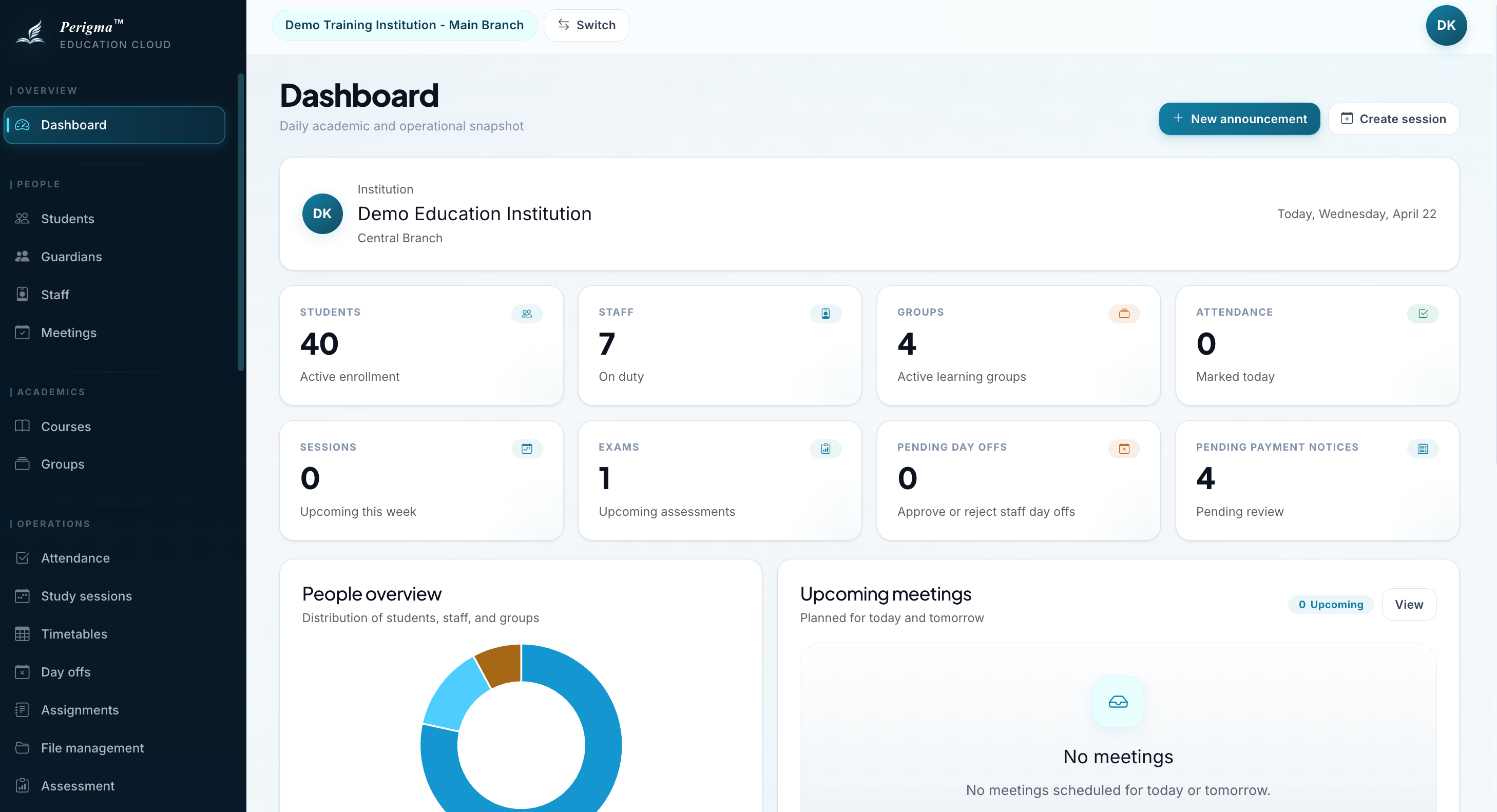
Image 1: Perigma main dashboard screenshot
What Does Perigma Do?
Perigma helps tutorial centers, private schools, study halls, and course centers digitize daily operations, save time, and make data-driven decisions.
Core Capabilities
| Module | Description |
|---|---|
| Institution and Academic Structure | Manage institution profile, branches, classrooms, academic years, levels, courses, groups, and subjects |
| Student and Guardian Management | Handle student records, guardian relationships, and core people data |
| Staff Operations | Manage staff records together with leave and availability workflows |
| Academic Operations | Run timetables, attendance sessions, attendance records, and study planning in one flow |
| Learning and Assessment | Track assignments, goals, Pomodoro, question logs, exams, and exam result analysis |
| Communication and Sharing | Coordinate meetings, announcements, surveys, targeted file sharing, and SMS workflows |
| Finance and Collections | Centralize products, contracts, installments, and payment notices |
| Cafeteria | Manage menus, meal planning, and reservation operations |
Who Uses Perigma?
Perigma provides role-specific interfaces for each stakeholder in your institution:
- Administrators: Manage institution-wide operations from one panel across finance, academics, communication, and staffing.
- Managers: Coordinate students, staff, and branch-level operations.
- Teachers: Take attendance, assign homework, enter exam results, and monitor student progress.
- Cafeteria Staff: Manage menus, meals, and reservations.
- Guardians: Instantly track attendance, exams, assignments, and payment status for their child.
- Students: View assignments, review exam results, set goals, and use the Pomodoro method.
For detailed walkthroughs, check Student Guide and Guardian Guide in the left menu.
Platform Support
Perigma is designed to work smoothly across your devices:
| Platform | Support |
|---|---|
| Web | Modern browsers (Chrome, Edge, Firefox, Safari) — app.perigma.com |
| Android | Android 7.0 (API 24) and above |
| iOS | iOS 15 and above |
| macOS | macOS Catalyst 15 and above |
| Windows | Windows 10 (1709) and above |
Language Support
Perigma provides full support for Turkish and English. The app detects your device language automatically. You can also change your language any time from profile settings.
Quick Start
To start using Perigma, follow these steps:
- Open Perigma — Download the mobile or desktop app, or visit app.perigma.com in your browser
- Create an account — see Create Account
- Verify your email — enter the 6-digit verification code sent to you
- Join your institution — connect using the join code provided by your institution
- Start using the app — your role-specific dashboard opens automatically
Perigma supports two-factor authentication (2FA) to protect your data. We recommend enabling this feature for account security.
What Is Included in This Documentation?
| Section | Content |
|---|---|
| Getting Started | Account creation, login, institution joining, and profile settings |
| Module Map | Detailed usage guides for each module group |
| Roles & Permissions | Responsibilities and access scope of each role |
| Student Guide | Step-by-step guide for students |
| Guardian Guide | Student tracking guide for guardians |
| Frequently Asked Questions | Common questions and solutions |
| Help Center | Support channels, contact options, and quick resolution steps |
| Legal | Privacy, terms of use, and data protection text |
If you need help, use the left navigation menu or visit the FAQ page.