Administrator Role
The Administrator (Admin) role has the broadest authority inside the institution and can access the institution's core settings and daily operational workflows.
Overview
This role is usually assigned to institution owners or general managers. Administrators can:
- access all branches
- configure system settings
- use all modules with full permissions
- manage roles and permissions of other users
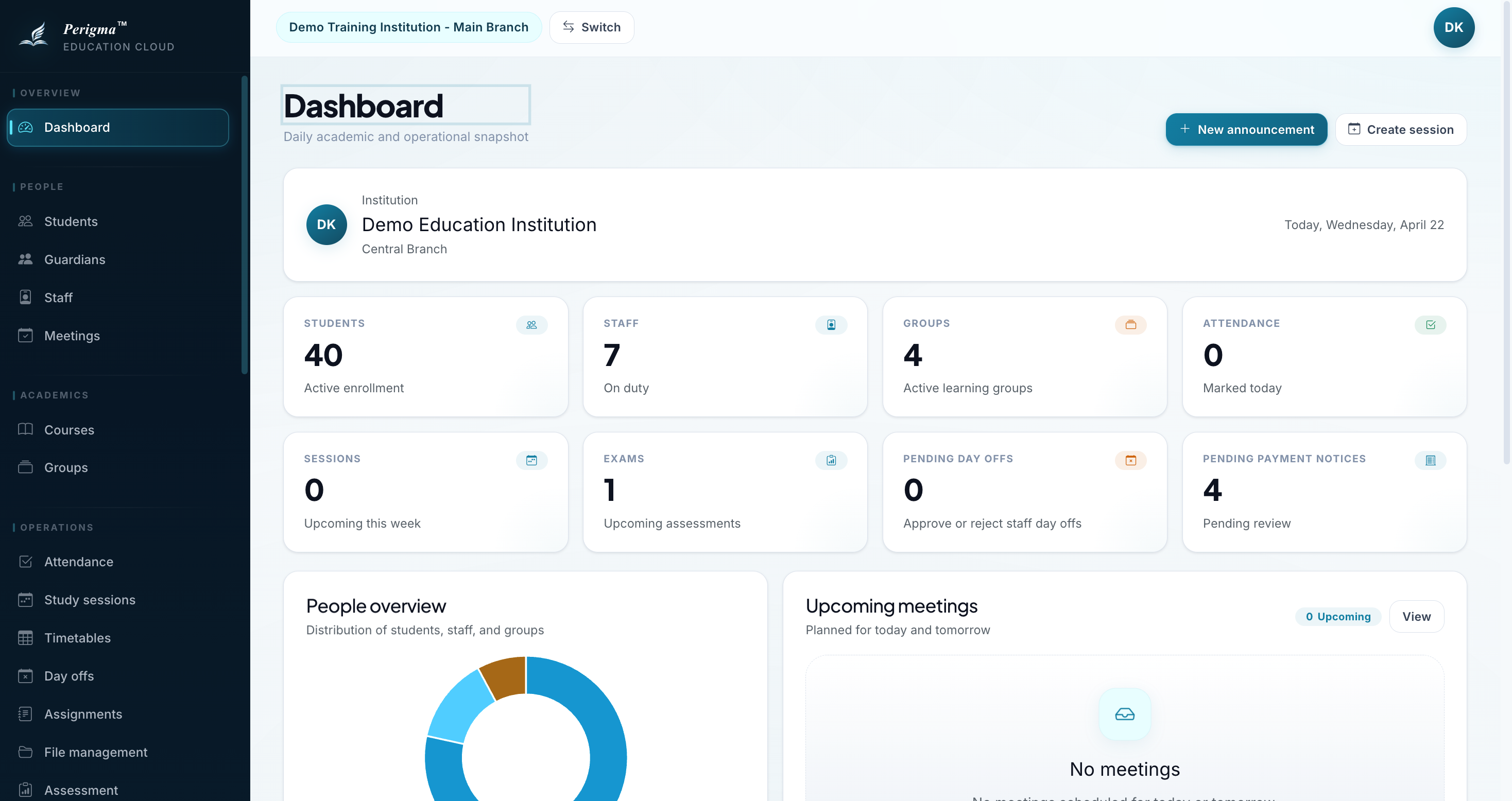
Image 1: Administrator dashboard
Accessible Modules
| Module | Access Level |
|---|---|
| Dashboard | Full access - all statistics, pending review cards, upcoming meetings, and activity summary |
| Student Management | Full access - all students |
| Guardian Management | Full access - all guardians |
| Staff Management | Full access - all staff |
| Courses | Full access |
| Groups | Full access |
| Attendance | Full access - all attendance records |
| Assignments | Full access |
| Exams | Full access |
| Study Sessions | Full access |
| Cafeteria | Full access when the institution type includes the cafeteria module |
| Finance | Full access - packages, contracts, installments |
| Communication | Full access - announcements, instant SMS, SMS settings, provider status, Netgsm integration, and SMS logs |
| Institution Settings | Full access - tenant settings except institution type editing |
| Meetings | Full access |
| Approvals | All approval flows |
Exclusive Permissions
Actions only available to the Administrator role:
1. SMS Operations
- Configure institution Netgsm credentials when the active subscription uses institution Netgsm
- Manage automatic SMS rules and timing
- Review the active SMS routing model and delivery provider
- Review SMS analytics and dispatch logs
- Manage the infrastructure used by instant SMS delivery
info
Instant SMS sending is also available to manager and teacher roles, but SMS routing, integration, and automatic delivery rules remain administrator-only settings.
2. Financial Product Definitions
- Create course packages and products
- Define pricing
3. Institution Profile
- Update institution name and logo
- Set timezone
- View institution type
info
Institution type cannot be changed from inside the tenant. It is updated only through the platform-side Super Admin flow.
4. Branch Information
- Update branch contact details
Dashboard Content
On the administrator dashboard, you can view:
- KPI Cards: students, staff, groups, attendance, sessions, and exams
- Pending Review Cards: pending day offs and pending payment notices
- Upcoming Meetings: meetings planned for today and tomorrow
- Activity Summary: compact view of recent operational activity
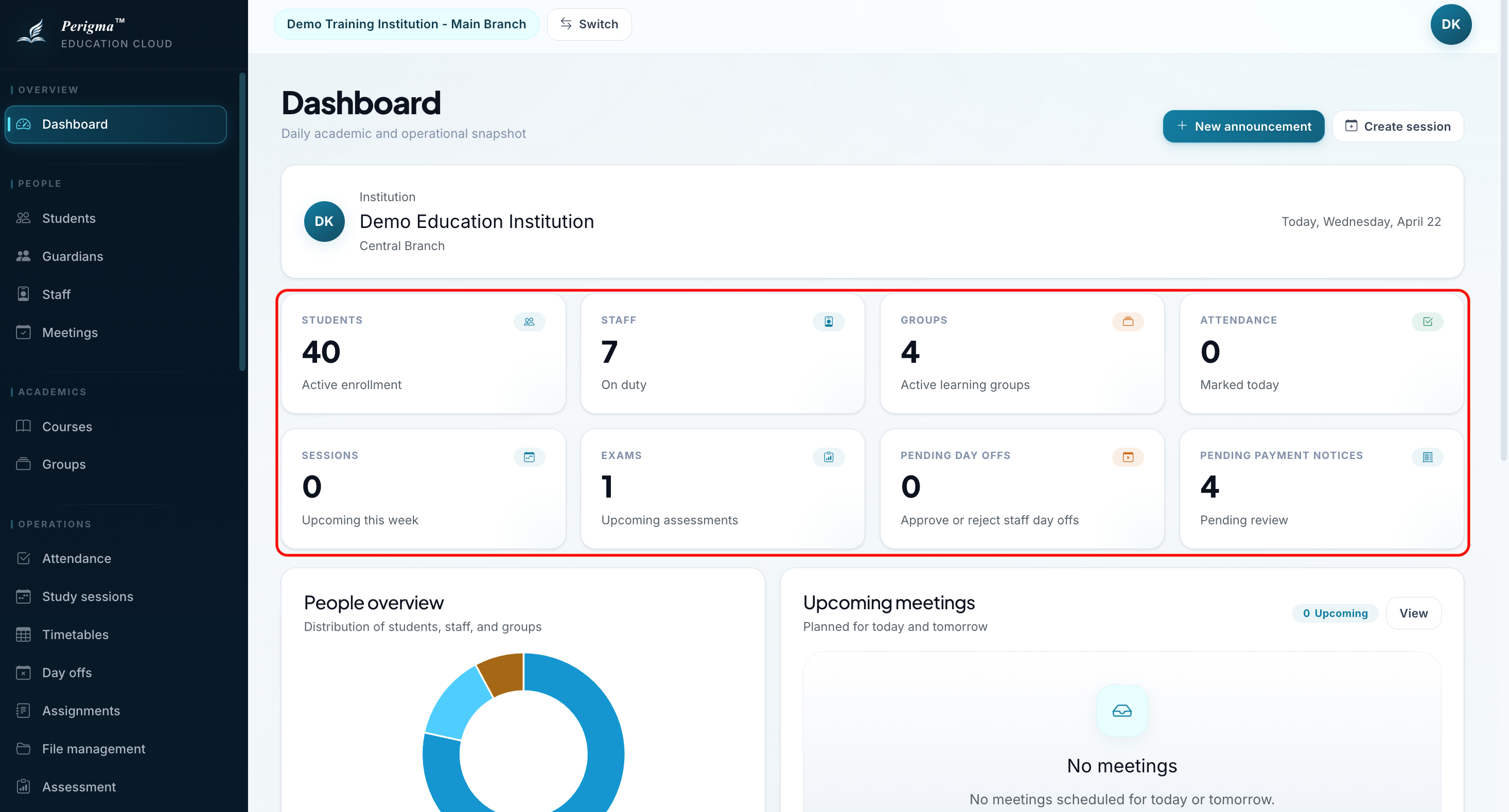
Image 2: Administrator dashboard summary cards
Best Practices
Security recommendations
- Grant administrator permissions to a limited number of users.
- Enable two-factor authentication (2FA).
- Validate critical records before major actions.