Meal Reservations
The reservations module manages student/staff meal reservations and reservation operations.
Reservation List
Go to Cafeteria → Reservations from the left menu.
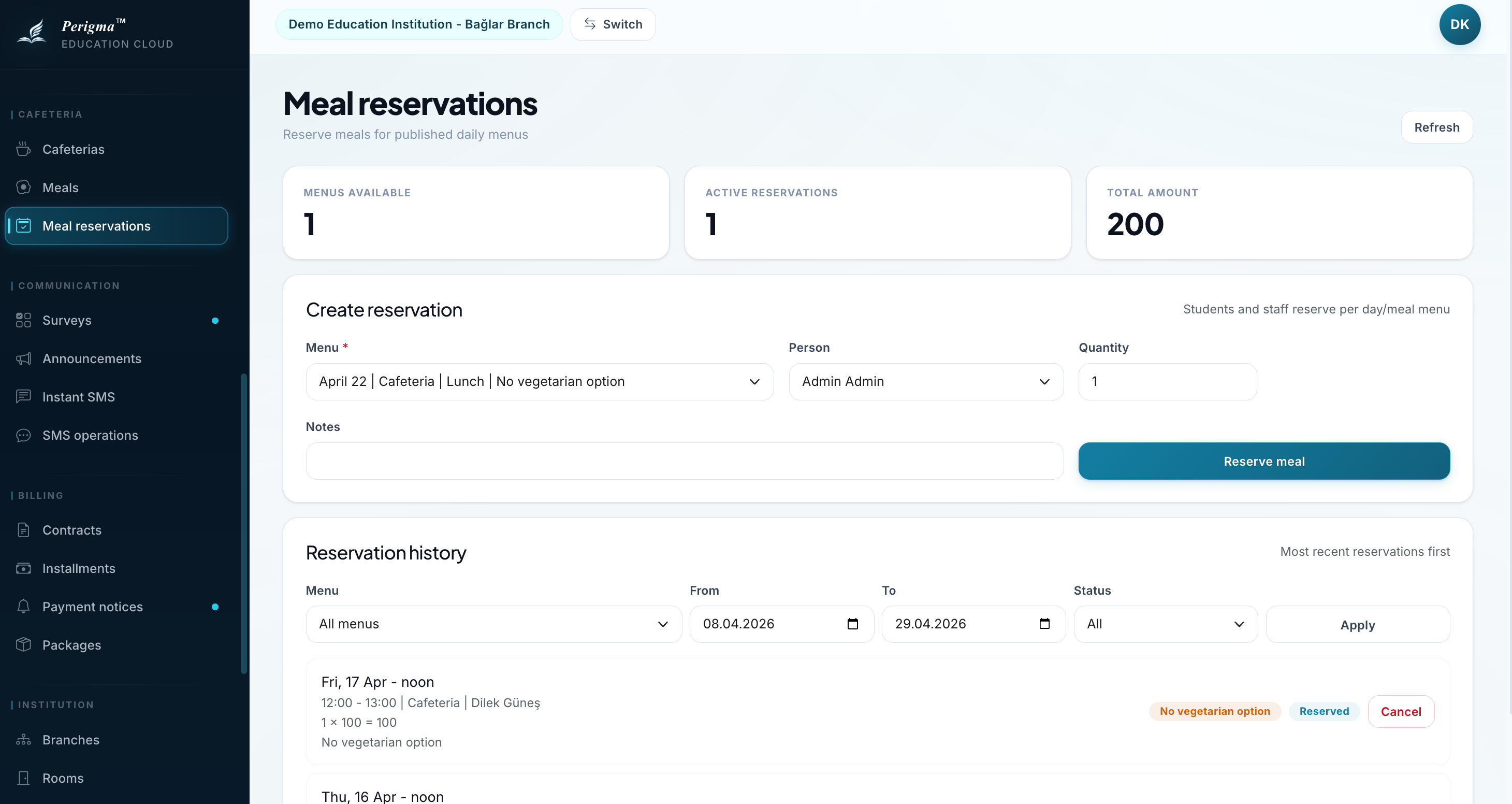
Image 1: Meal reservation list
Filtering
- Menu
- Date
- Person (students and staff only)
Note: The person picker in the reservation form includes only students and staff records.
Reservation Fields
Each reservation includes:
| Field | Description |
|---|---|
| Person | Reservation owner |
| Menu | Reserved menu |
| Quantity | Portion count |
| Vegetarian | Vegetarian option selected |
| Unit Price | Price per portion |
| Total Price | Total amount |
| Notes | Special notes (allergy, etc.) |
| Status | Reserved or Canceled |
| Reservation Date | Creation date |
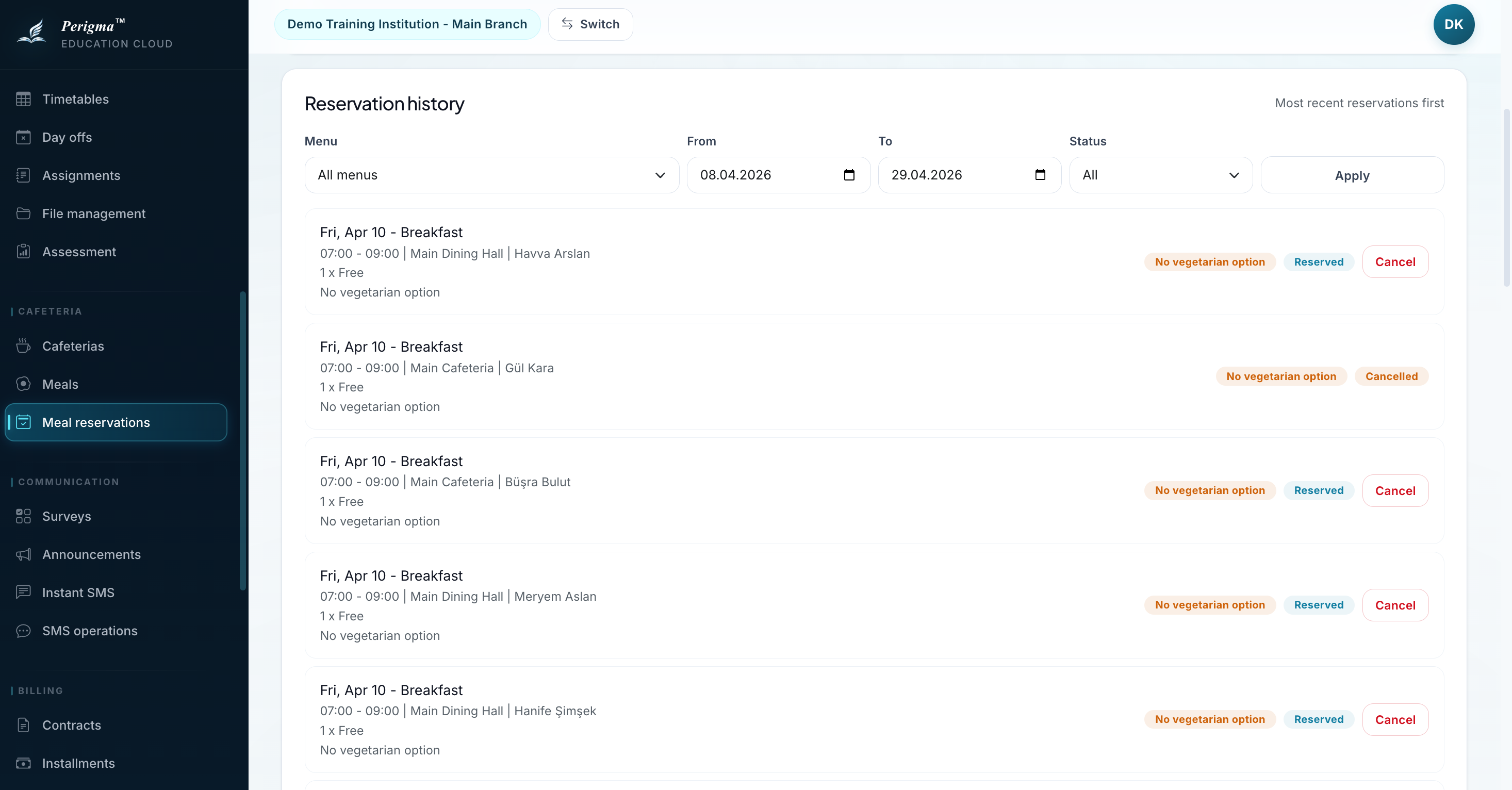
Image 2: Reservation detail
Reservation Statuses
| Status | Description |
|---|---|
| Reserved | Reservation is active |
| Canceled | Reservation was canceled |
Student Reservation Flow
Students can reserve meals from My → Cafeteria Reservations:
- View available menus
- Select a menu
- Enter portion quantity
- Choose vegetarian option if needed
- Click "Reserve"
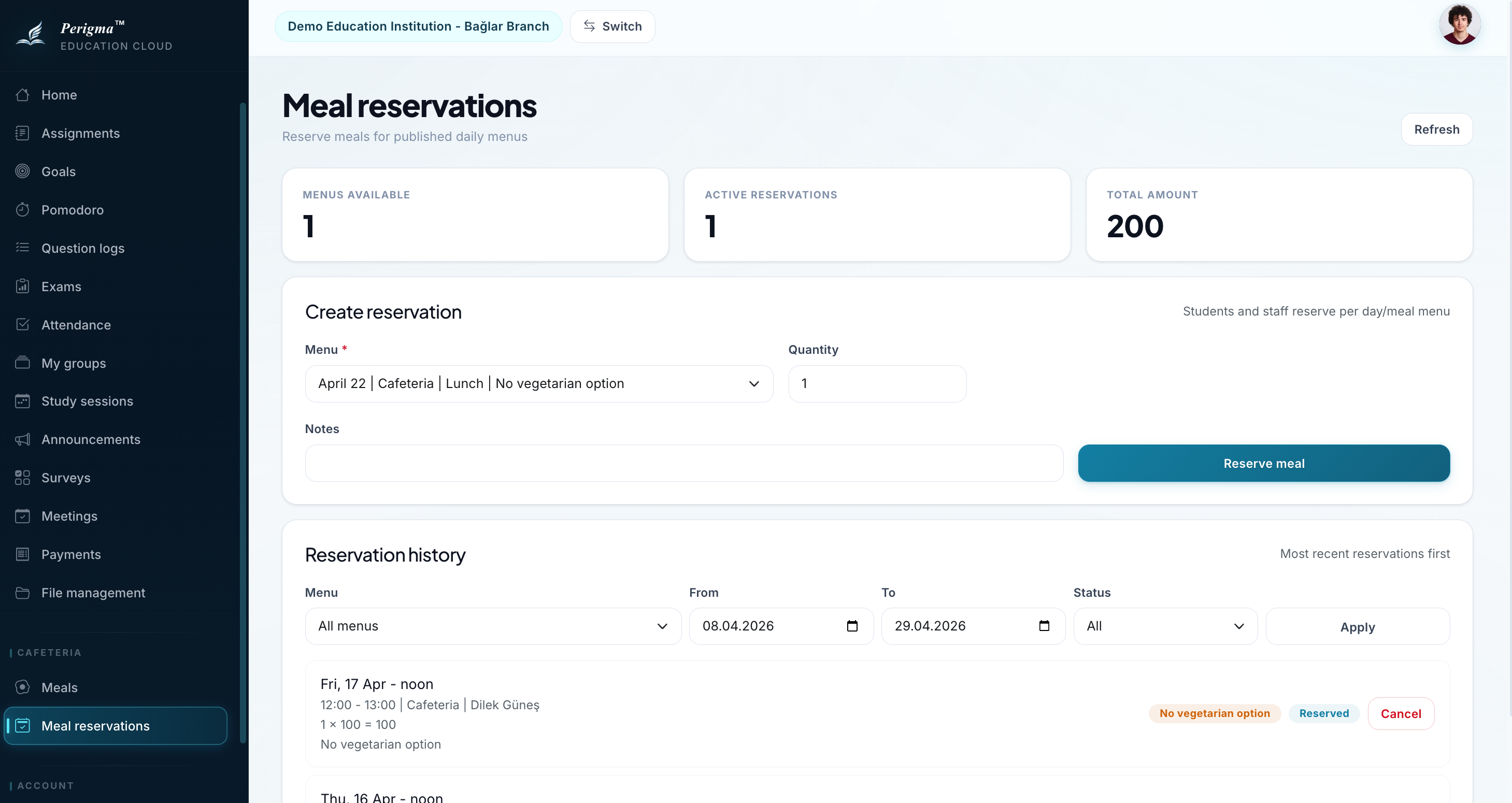
Image 3: Student reservation screen
Reservation cutoff
Each meal has a configured reservation cutoff time. New reservations are blocked after cutoff.
Canceling a Reservation
- Find record in reservation list
- Click "Cancel"
- Confirm cancellation
caution
Cancellations close to service time may not be eligible for refund depending on institution policy.
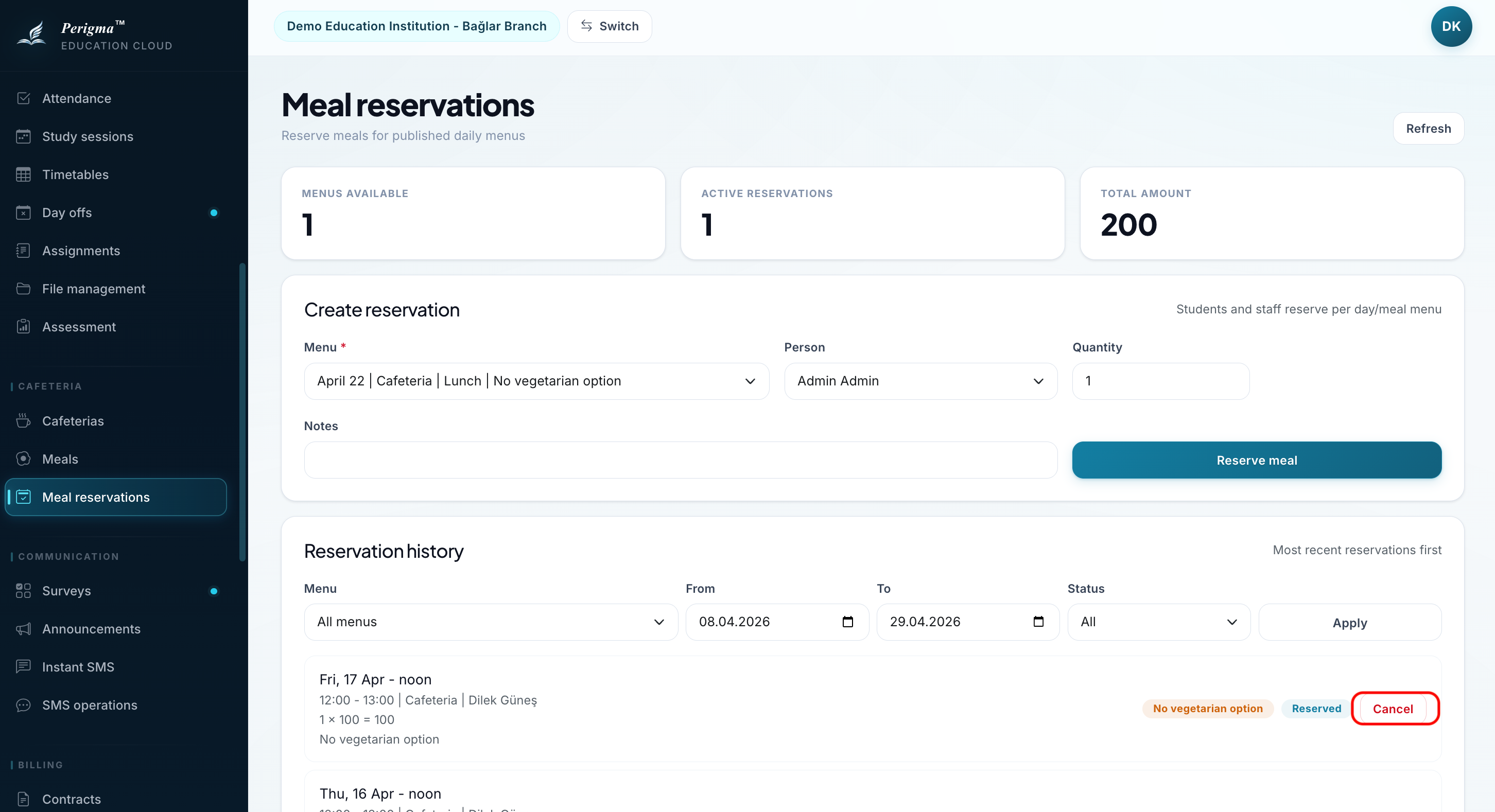
Image 4: Reservation cancel confirmation dialog