Leave Management
The leave management module helps you manage staff weekly availability and leave requests.
Staff Availability
Each staff member can have a weekly availability schedule used in timetable and study session planning.
Defining Availability
- Open Staff detail
- Click "Availability" tab
- Click "Add Availability"
- Fill details:
| Field | Description |
|---|---|
| Day | Weekday |
| Start Time | Available from |
| End Time | Available until |
- Click "Save"
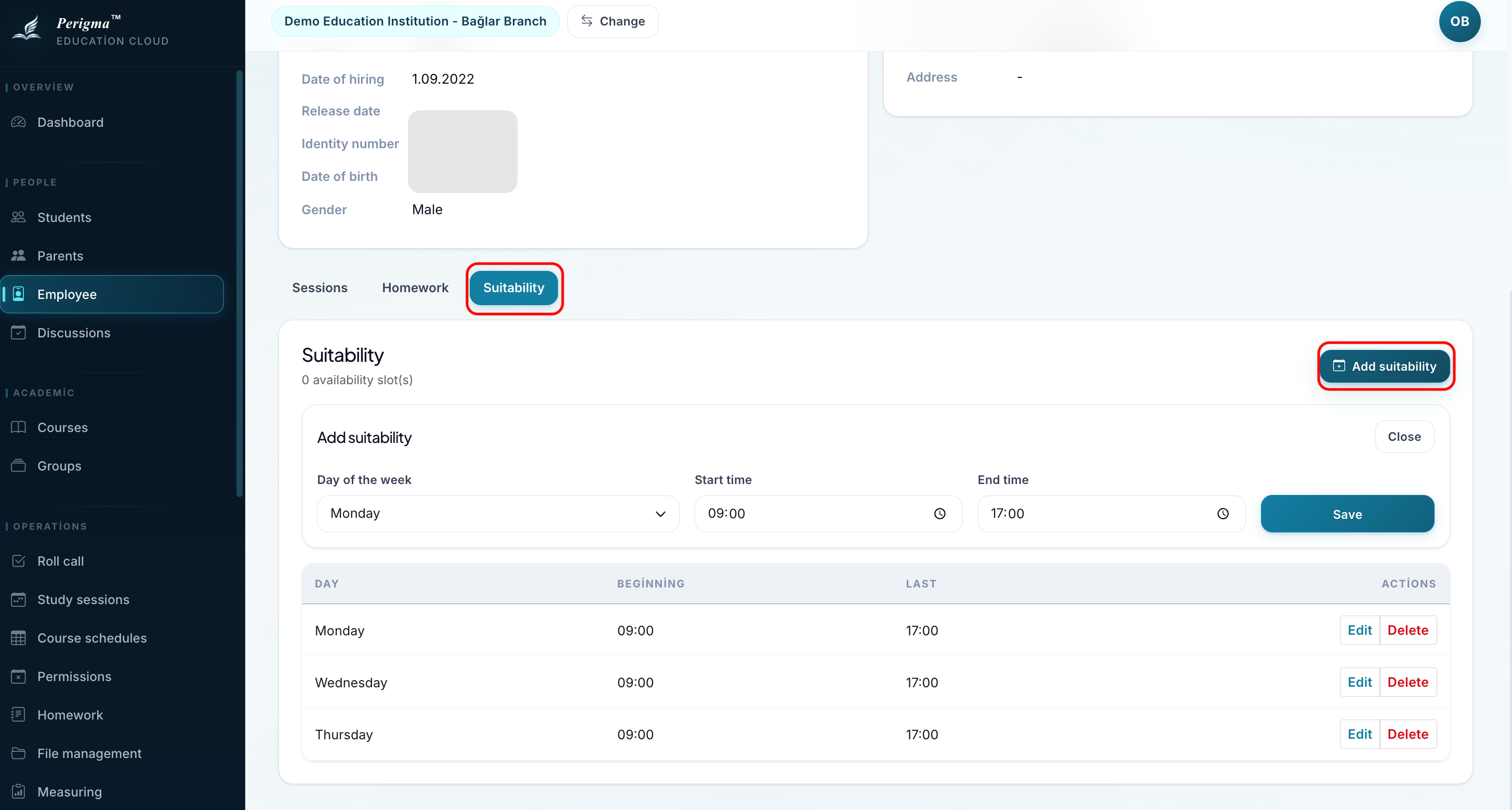
Image 1: Staff availability setup
Leave Requests
Go to Operations → Leave Management from the left menu to view requests.
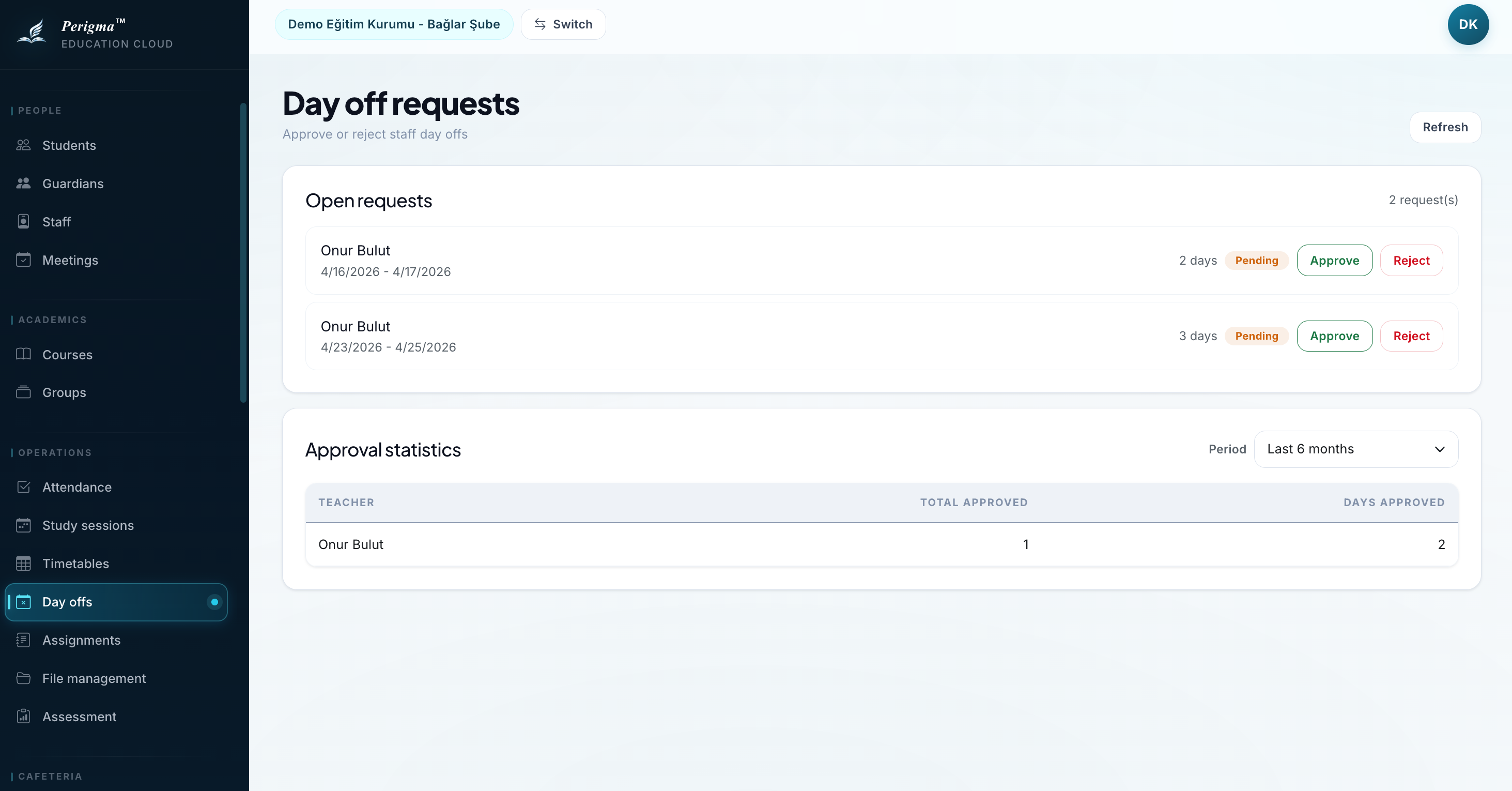
Image 2: Staff leave request list
Request Fields
| Field | Description |
|---|---|
| Staff | Requesting staff member |
| Start Date | Leave start date |
| End Date | Leave end date |
| Day Off Type | Full Day / Morning / Afternoon |
| Reason | Leave reason |
| Status | Pending, Approved, Rejected |
Request Statuses
| Status | Description |
|---|---|
| Pending | Not reviewed yet |
| Approved | Request approved |
| Rejected | Request rejected |
Approving Leave
(Administrator or Manager permission required)
- Select pending request
- Review details
- Click "Approve" or "Reject"
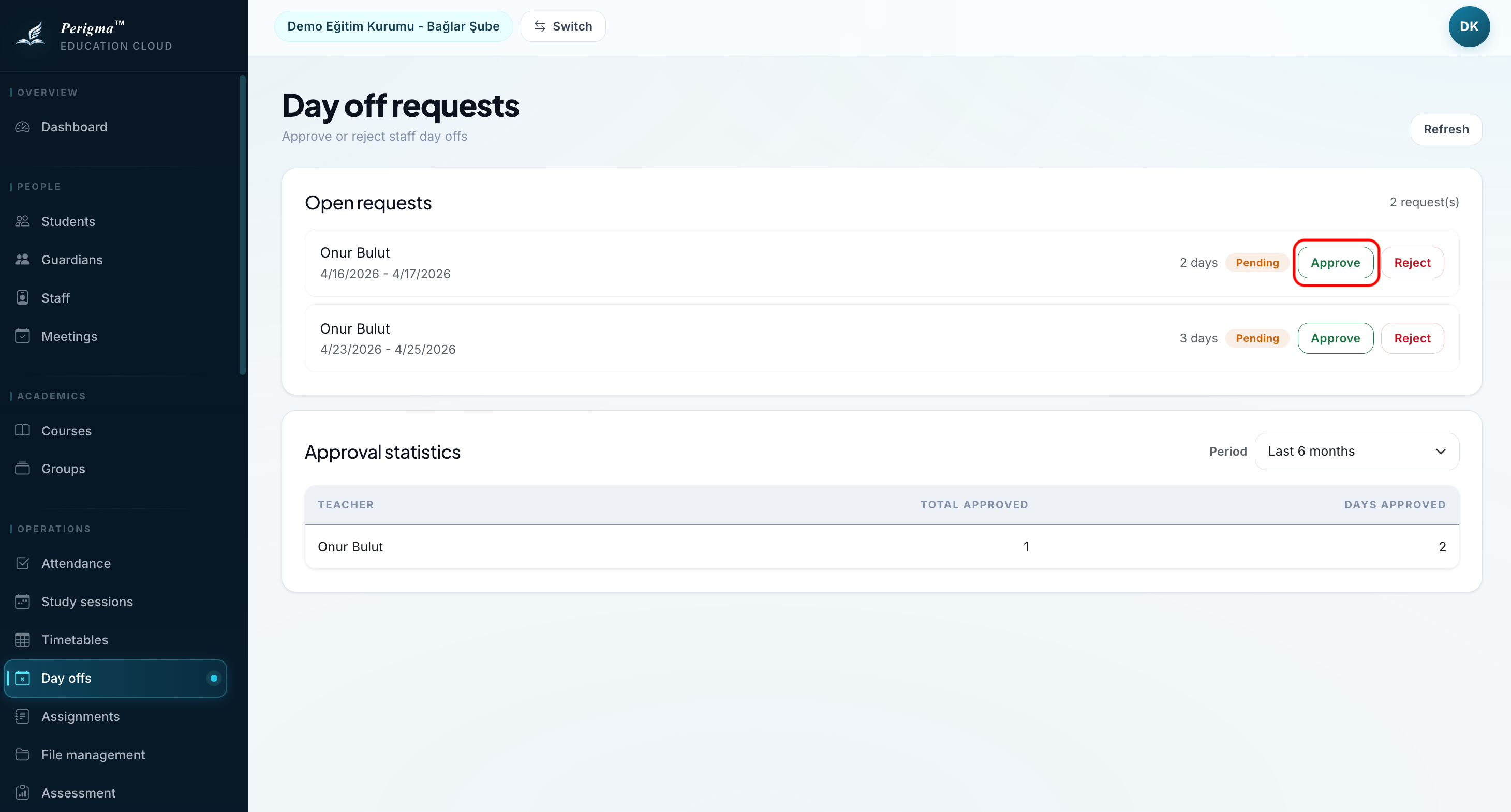
Image 3: Leave approve/reject action
SMS notification
If enabled, staff are notified by SMS when leave is approved or rejected.
Day Off Types
Staff can choose the type of day off:
| Type | Description |
|---|---|
| Full Day | Full day leave |
| Morning | Morning off, works afternoon |
| Afternoon | Afternoon off, works morning |
caution
Half-day selection is available only for single-day leave requests.