Staff Management
Use the staff management module to manage teachers, managers, administrators, and other employee records.
Staff List
Open People → Staff to access the staff list.
From this screen you can:
- search by first or last name
- use pagination
- open the detail page for a staff member
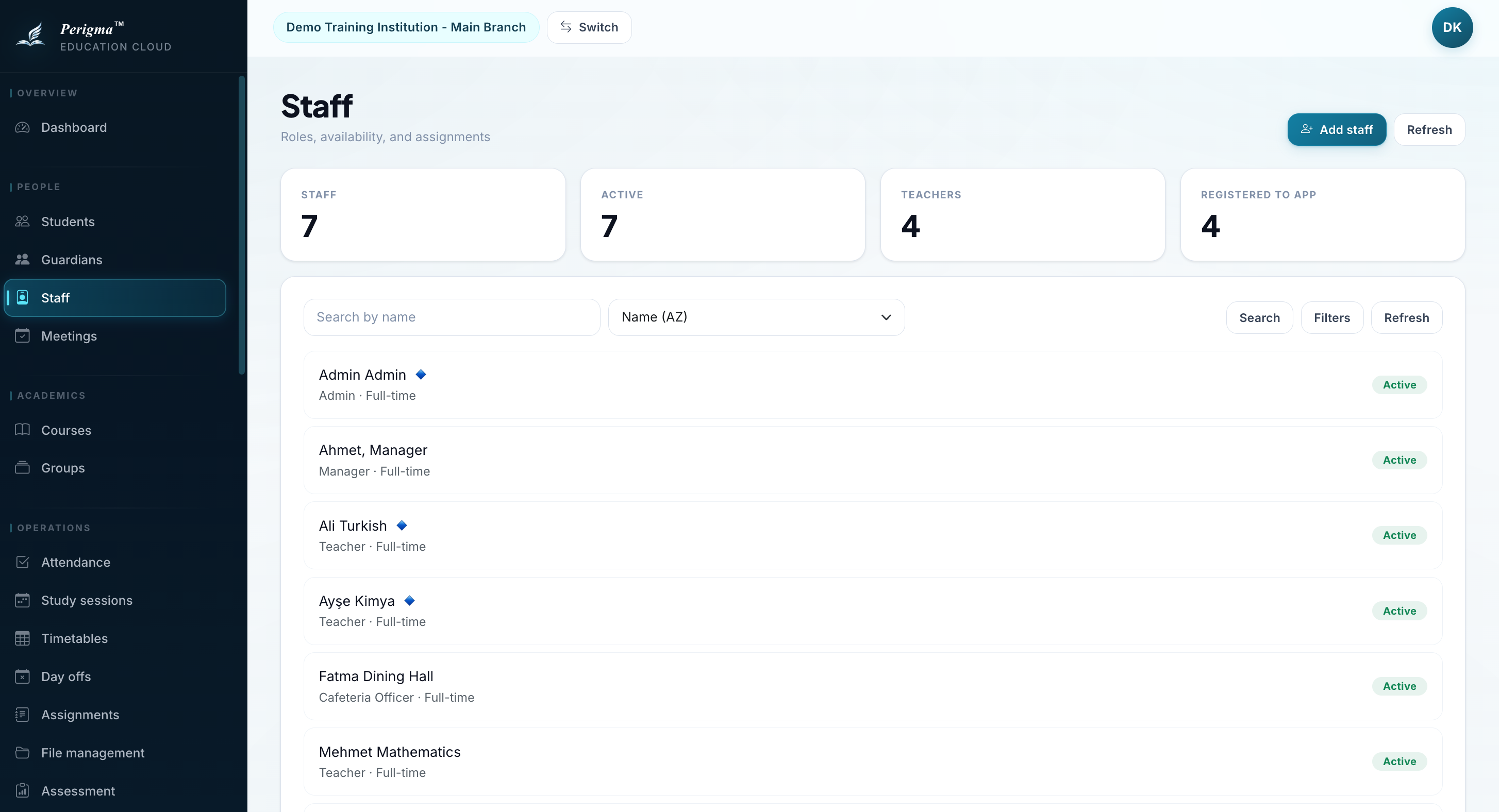
Image 1: Staff list view
Adding New Staff
This requires Administrator or Manager permission.
Typical fields include:
- first name
- last name
- national ID
- role
- employment type
- hire date
- phone
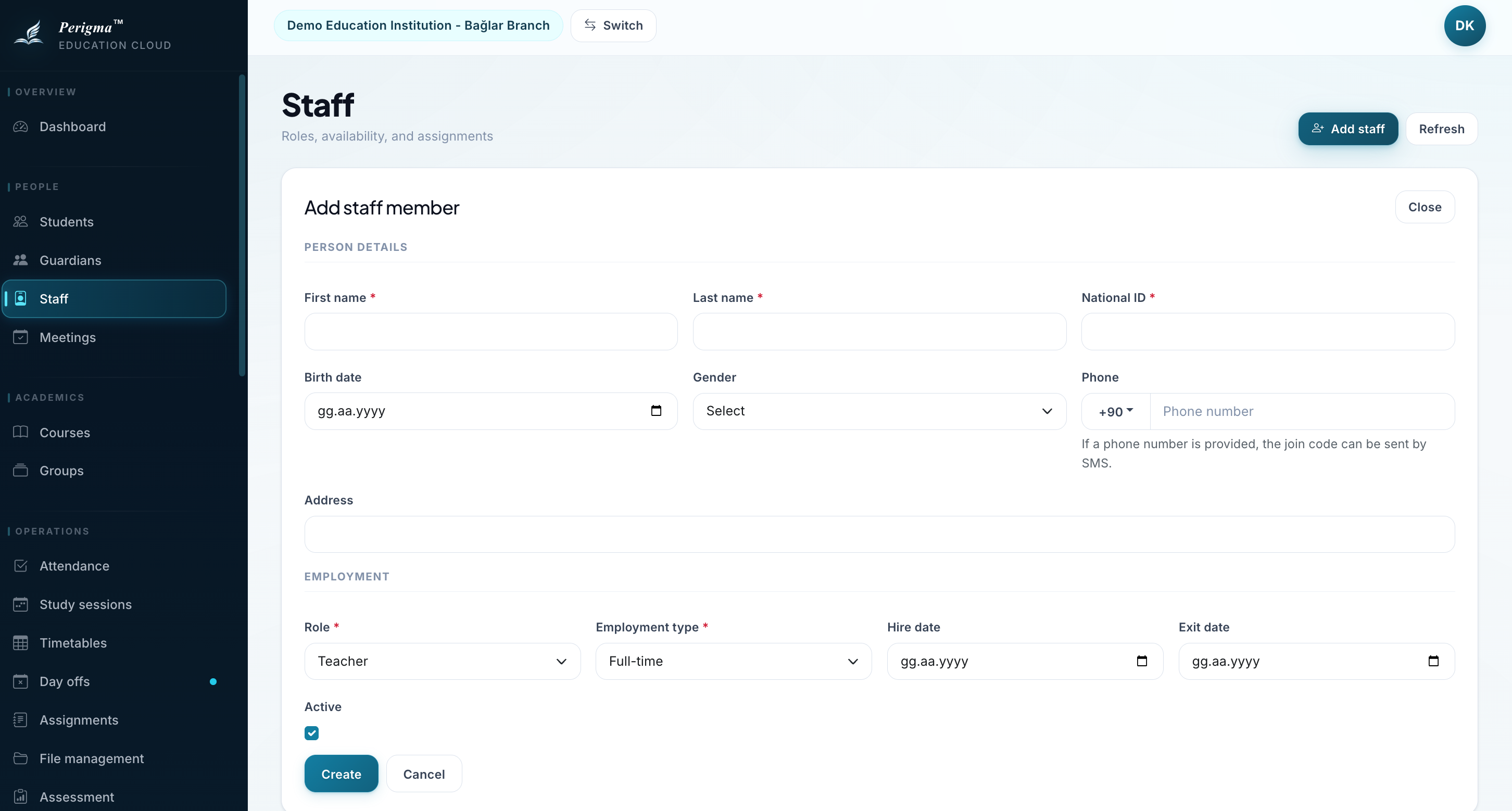
Image 2: New staff add form
Staff Detail Page
The staff detail page includes:
- profile information
- contact information
- role assignment
- availability details
- related tabs and operational history
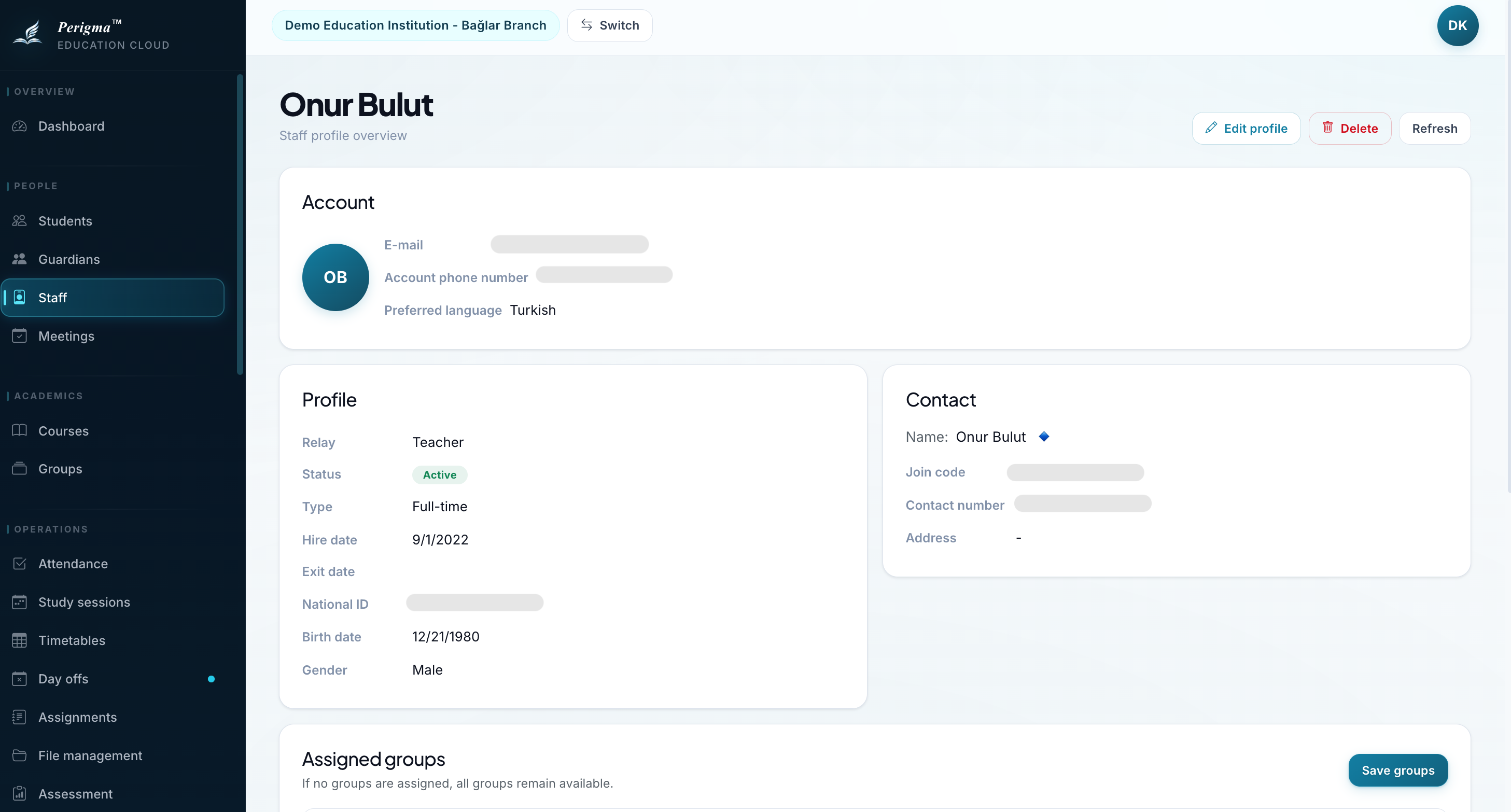
Image 3: Staff detail screen
Assigned Groups For Teachers
When the staff member's role is Teacher, the detail page also shows an Assigned groups card.
This card:
- appears only for
Teacher - can be edited only by roles that manage staff
- lists groups from the same branch scope
- supports searching and multi-select checkboxes
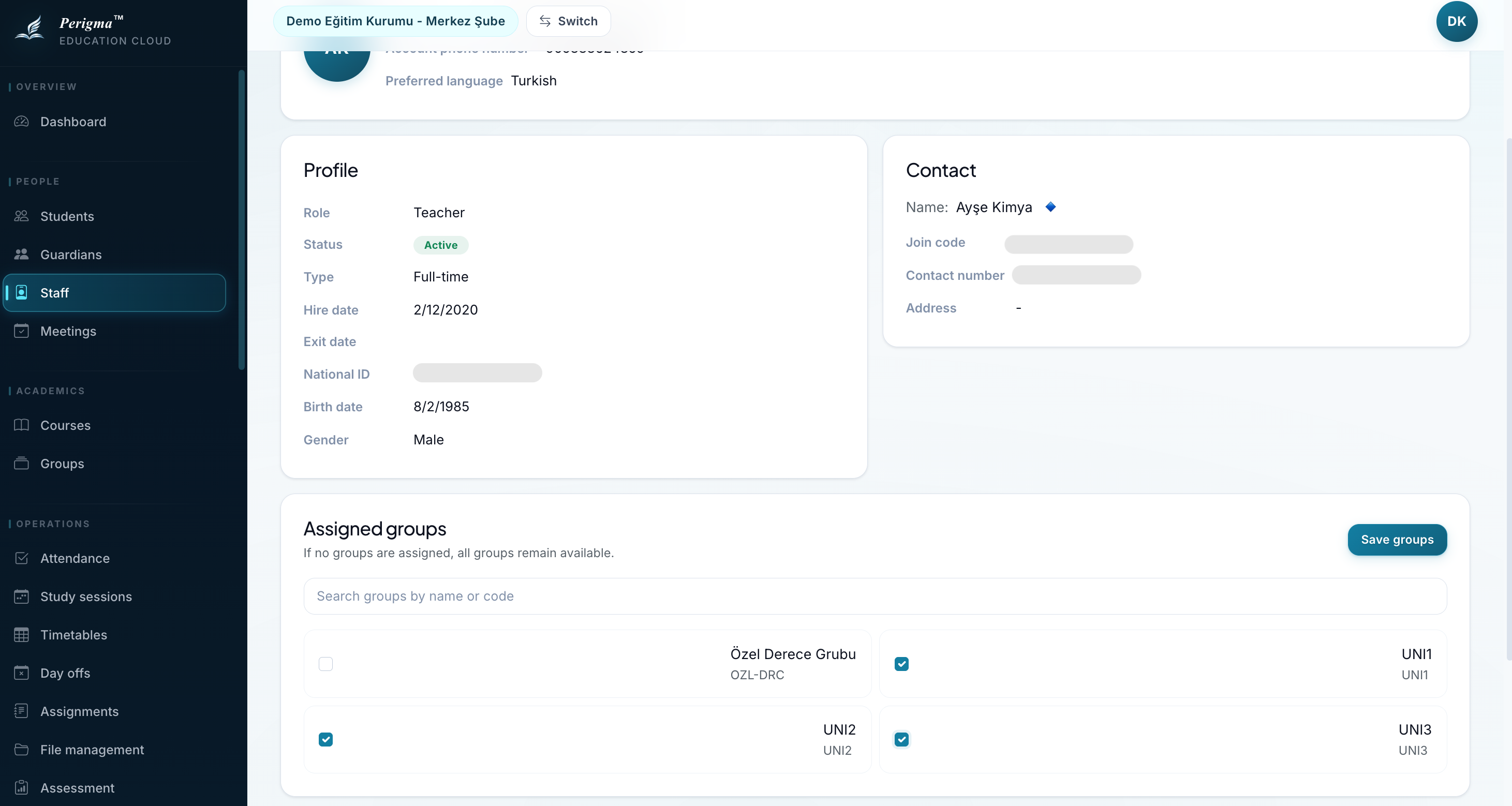
Image 4: Assigned groups card
Critical Rule
If the assignment list is left empty, the system treats that teacher as:
"Allowed to access all groups"
Once at least one group is selected, the teacher is restricted to only those groups.
That restriction also applies across the teacher-facing academic workflows, including:
- groups
- students
- attendance
- assignments
- exams
- study sessions
- announcement targets
When To Use It
This is useful when:
- multiple teachers are responsible for different groups in the same branch
- a teacher should see only their own students
- other groups and students should be hidden from a teacher
Staff Status
| Status | Description |
|---|---|
| Active | Currently on duty |
| Passive | Left duty or not currently active |
When a staff member is set to passive, an end date should be recorded.
Deleting Staff
Staff can be deleted from the detail page. Deleted records are removed from active lists and kept as archived data in the system.