Installment Management
The installment module helps you monitor contract installments and update payment statuses.
Installment List
Go to Billing → Installments from the left menu.
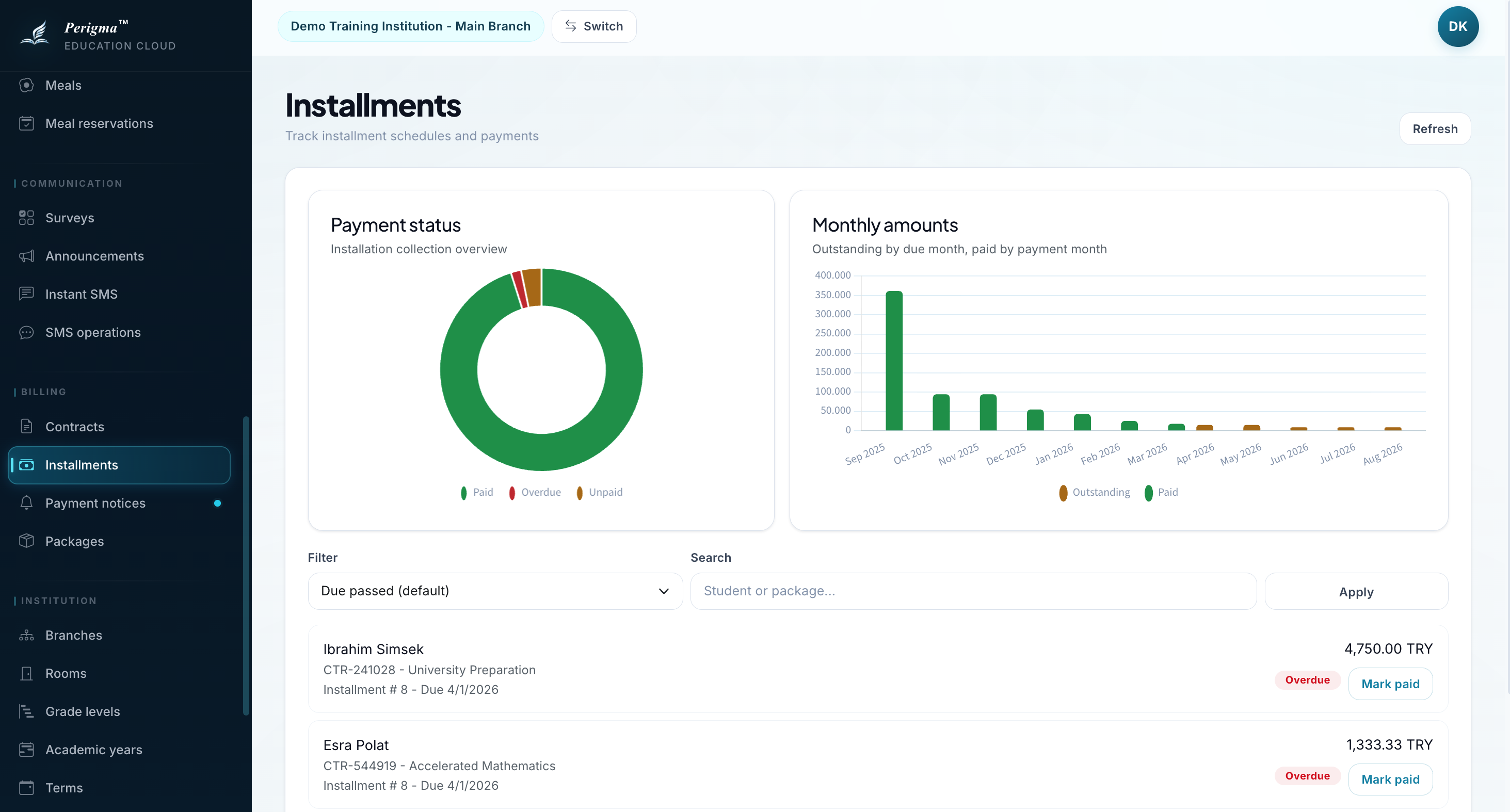
Image 1: Installment list
Filtering
- Contract
- Student
- Status (Paid / Unpaid)
Installment Fields
| Field | Description |
|---|---|
| Installment No | Sequence number |
| Due Date | Payment due date |
| Amount | Installment amount |
| Currency | Currency |
| Paid | Payment completed or not |
| Payment Date | Date of payment |
| Payment Method | Cash, Card, Wire, Online |
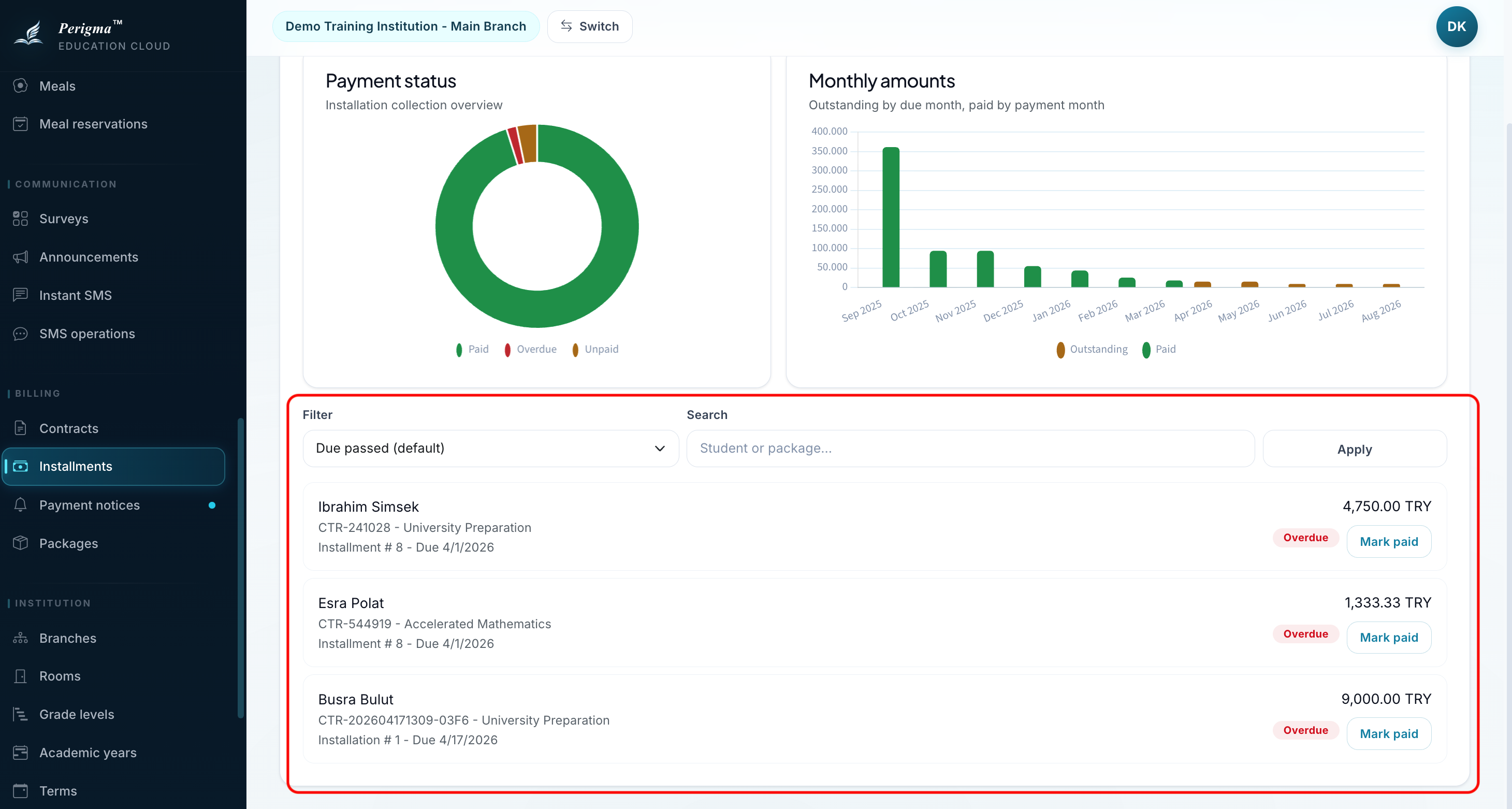
Image 2: Installment detail
Recording a Payment
- Select installment row
- Click "Mark as Paid"
- Enter payment details:
- Payment date
- Payment method
- Click "Save"
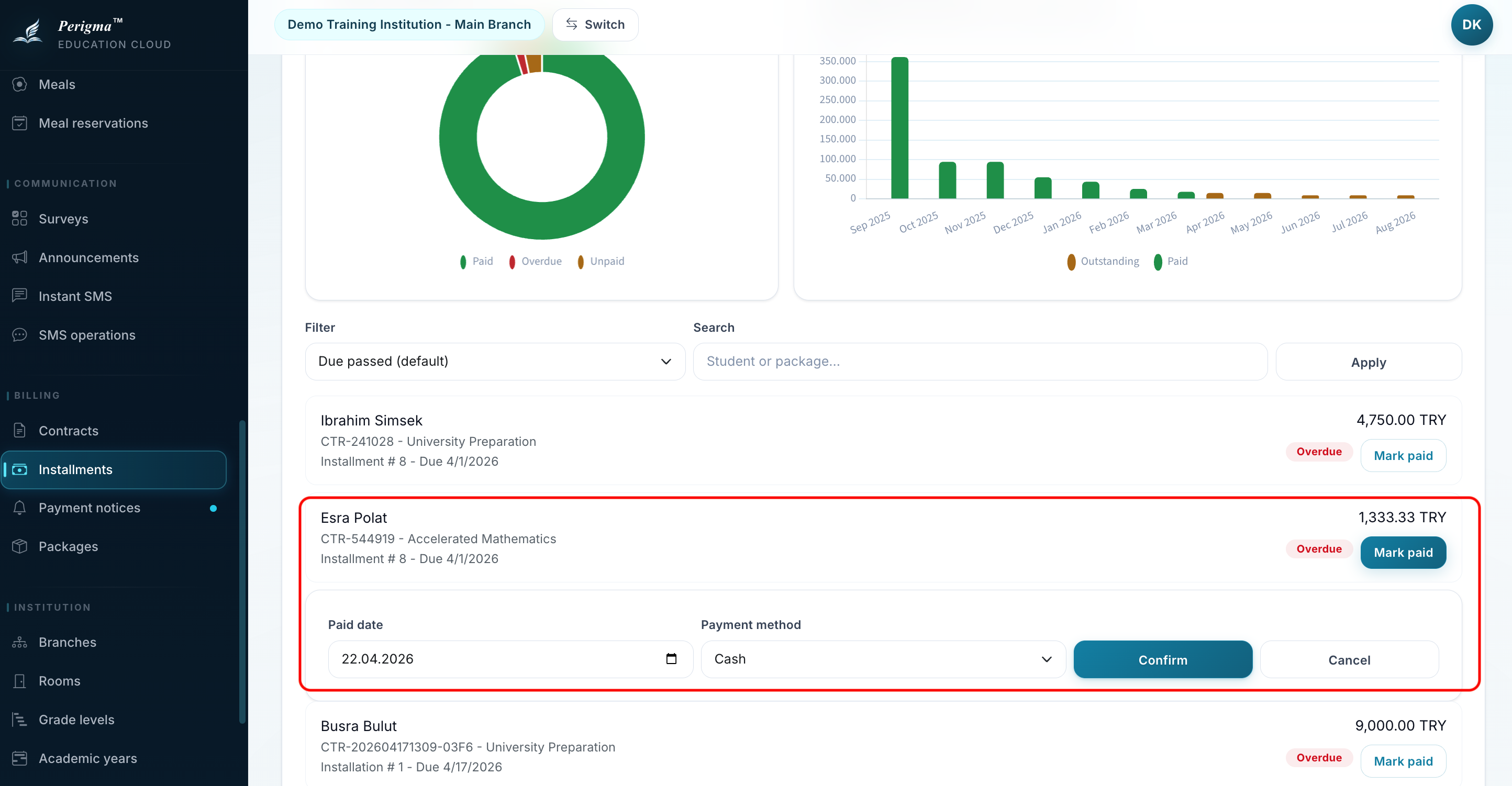
Image 3: Installment payment record form
Payment Methods
| Method | Description |
|---|---|
| Cash | Physical cash payment |
| Card | Credit/debit card |
| Wire/EFT | Bank transfer |
| Online | Online payment system |
Overdue Installments
Overdue unpaid installments are highlighted in list. For these installments:
- SMS/email reminders can be sent
- Payment notice can be requested
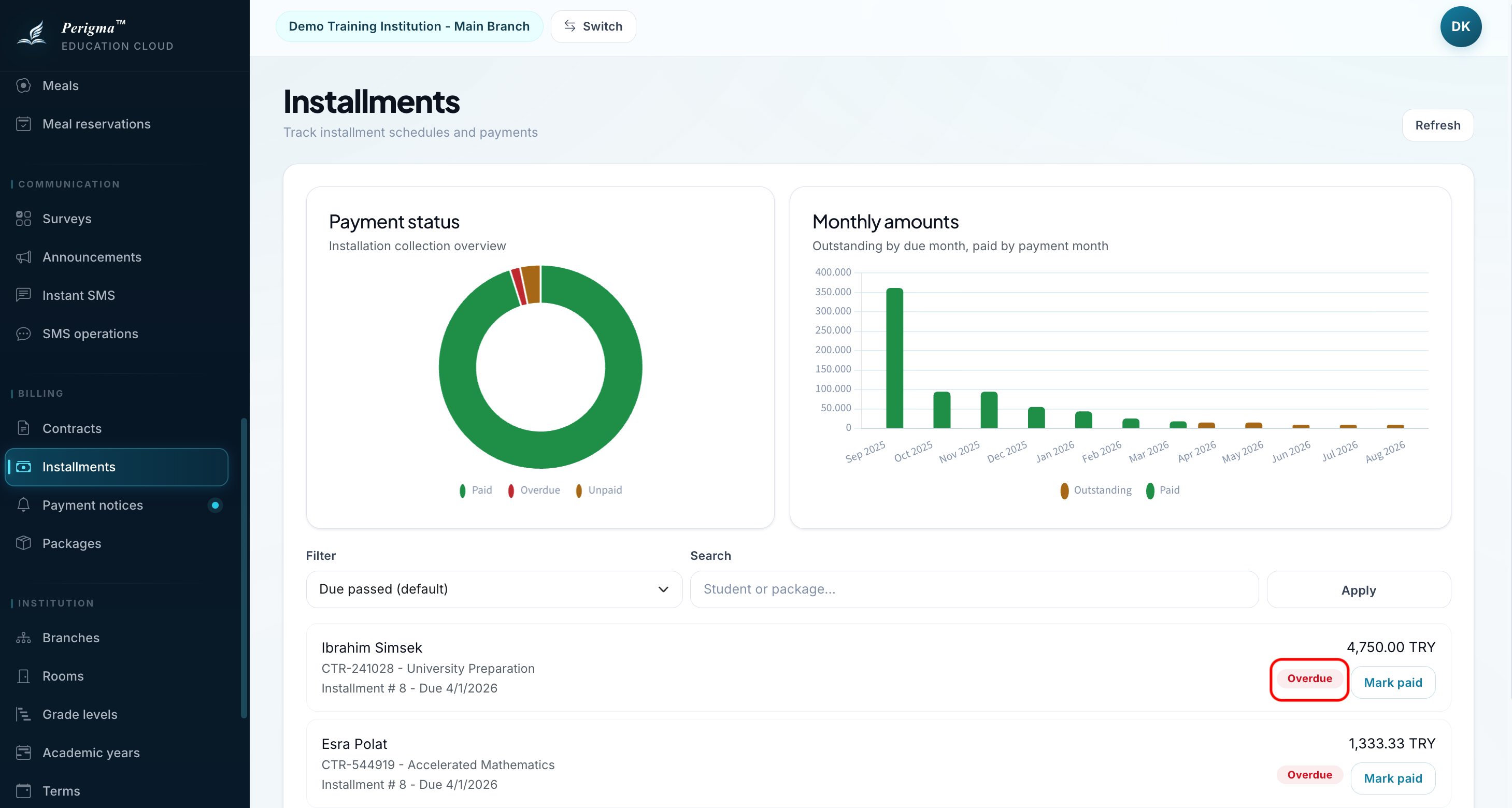
Image 4: Overdue installment warning view
Installment Reminder SMS
If enabled in settings, system automatically:
- Sends reminder before due date
- Uses configurable lead time (default 3 days)
tip
Ensure Communication → SMS Operations is enabled.