Classroom Management
The classroom module lets you define physical rooms in your institution (classroom, exam hall, meeting room, cafeteria, etc.).
Classroom List
Go to Institution → Rooms from the left menu.
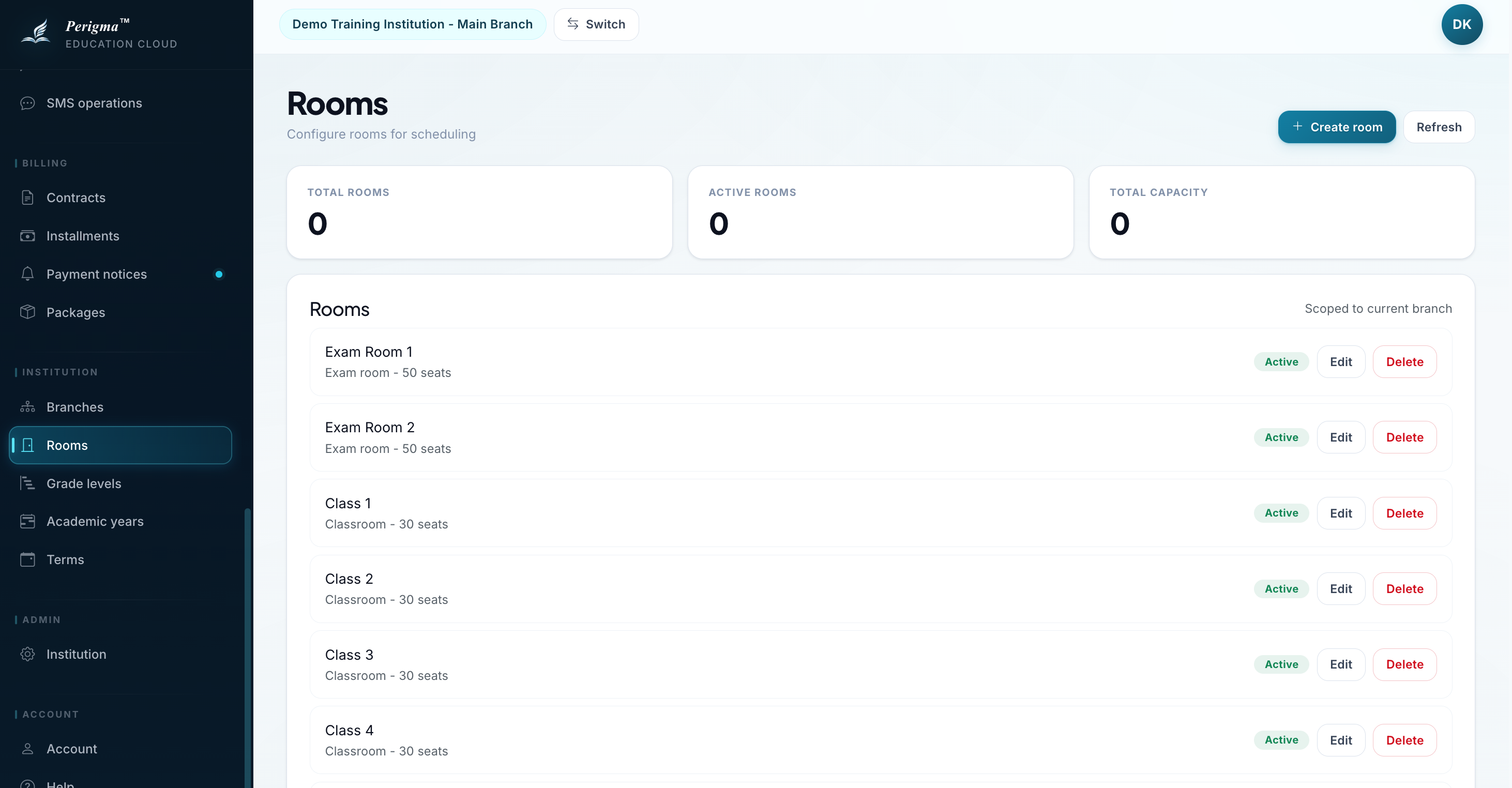
Image 1: Classroom list
Adding a New Classroom
- Click "New Classroom"
- Fill details:
| Field | Required | Description |
|---|---|---|
| Branch | Yes | Related branch |
| Name | Yes | Room name (for example A-101) |
| Capacity | Yes | Max people |
| Room Type | Yes | Classroom, Exam Hall, Meeting Room, or Cafeteria |
| Active | Yes | Active status |
- Click "Save"
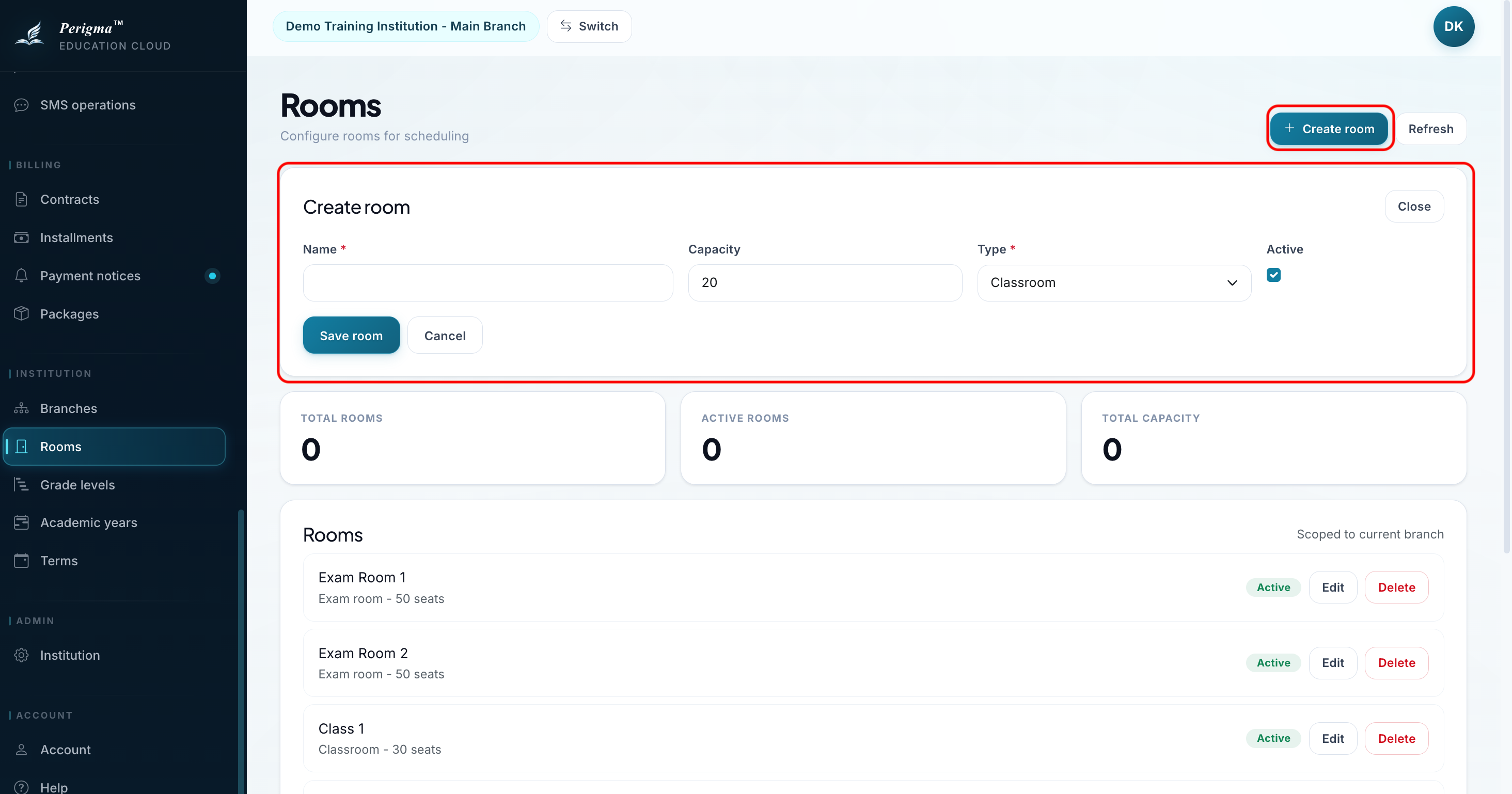
Image 2: New classroom form
Room Types
| Type | Description |
|---|---|
| Classroom | Standard lesson room |
| Exam Hall | Dedicated exam area |
| Meeting Room | Meetings/interviews |
| Cafeteria | Food service area |
Editing/Deleting Classrooms
- Open room from list
- Use "Edit" or "Delete"
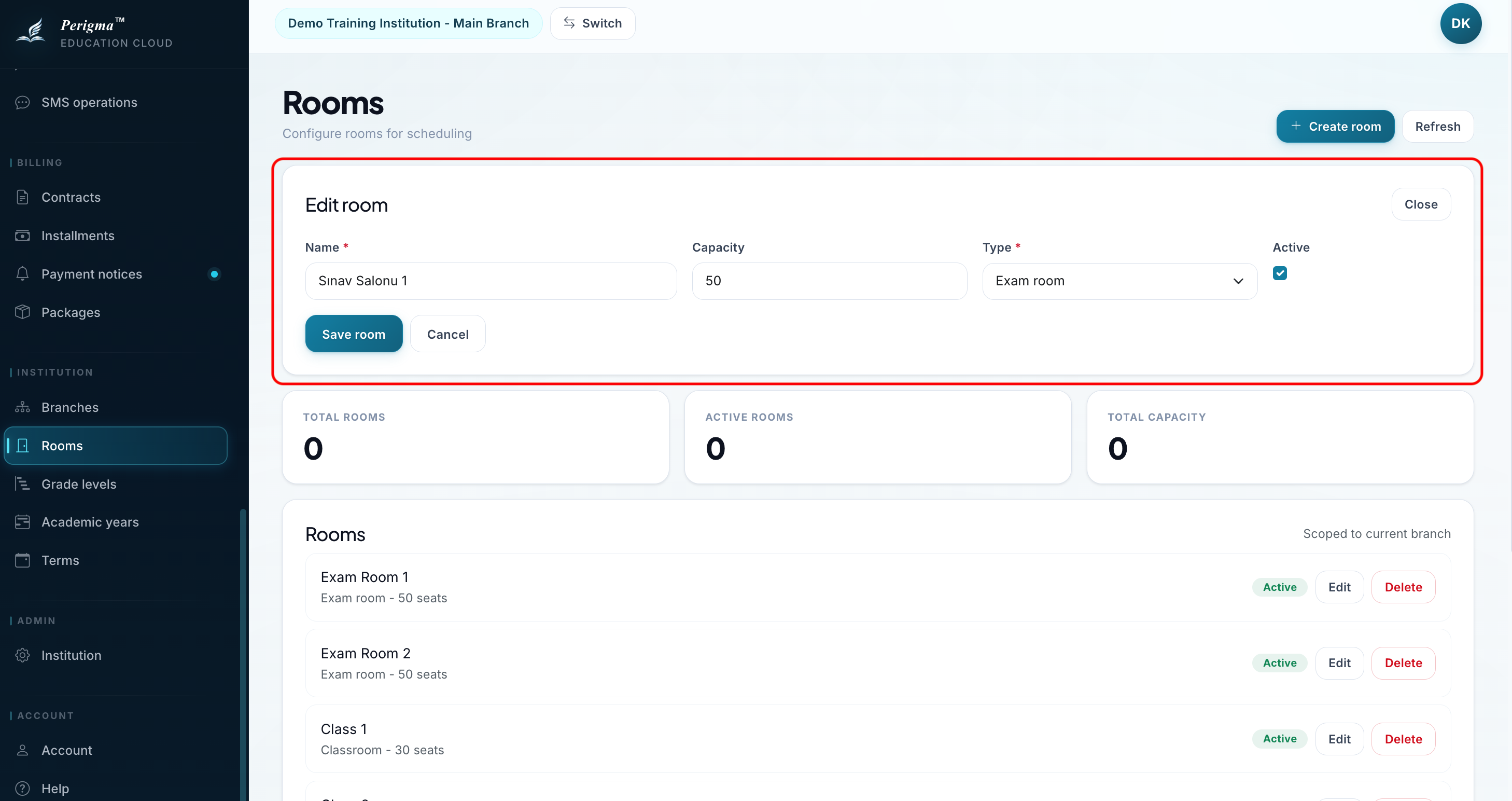
Image 3: Classroom edit form