Question-Solving Logs
Question-solving logs track how many questions students solve daily by course/subject. This data is used in performance analysis and goal tracking.
Log List
Go to People → Students from the left menu.
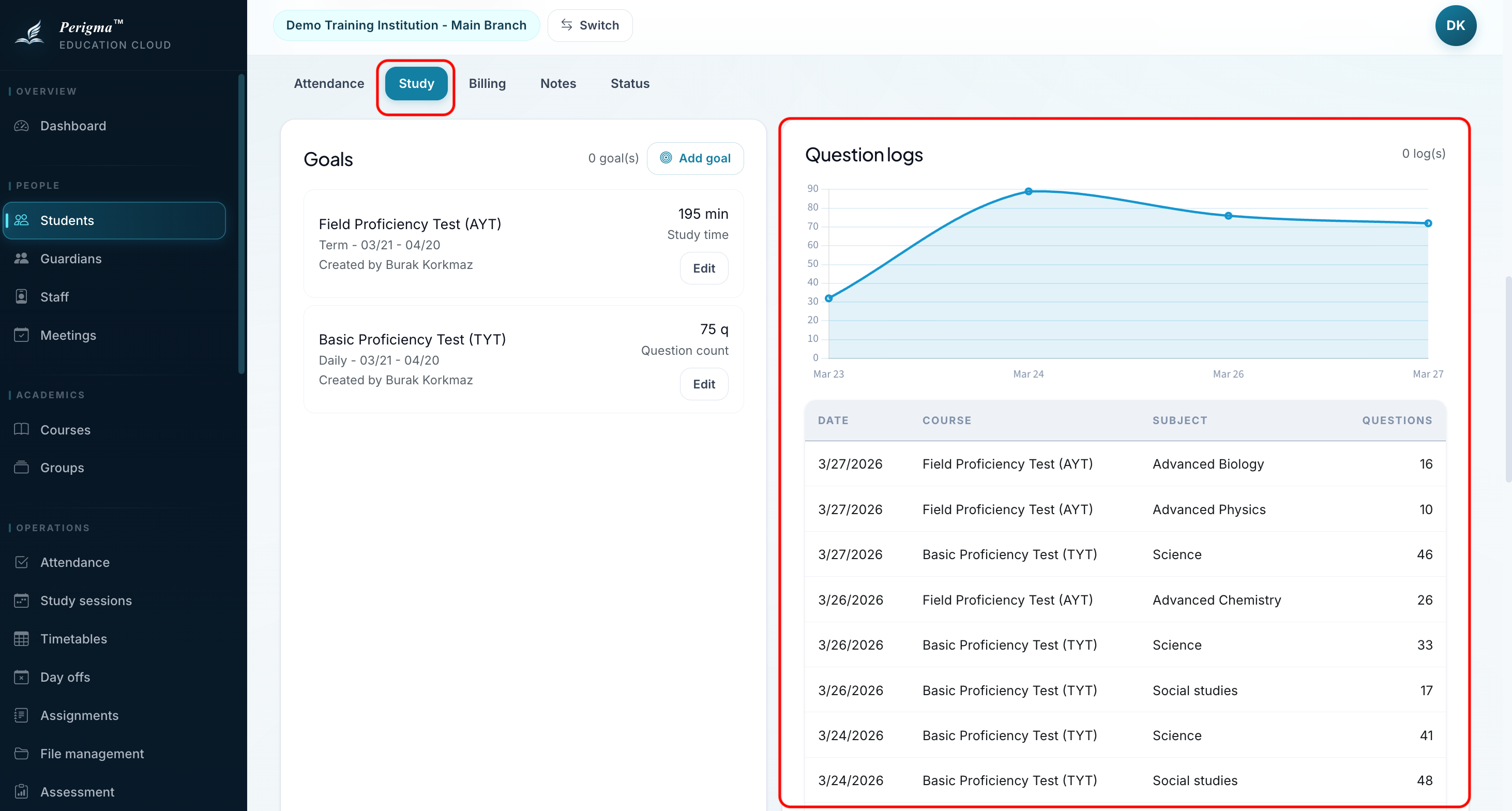
Image 1: Question log list
Filtering
- Student filter
- Course filter
Log Fields
Each record contains:
| Field | Description |
|---|---|
| Student | Student who created log |
| Date | Solving date |
| Course | Related course |
| Subject | Related subject (optional) |
| Question Count | Total solved |
| Note | Additional notes |
Student Perspective
Students can add/view their own logs in My → Question Logs. Guardians can track their child's logs from guardian panel.
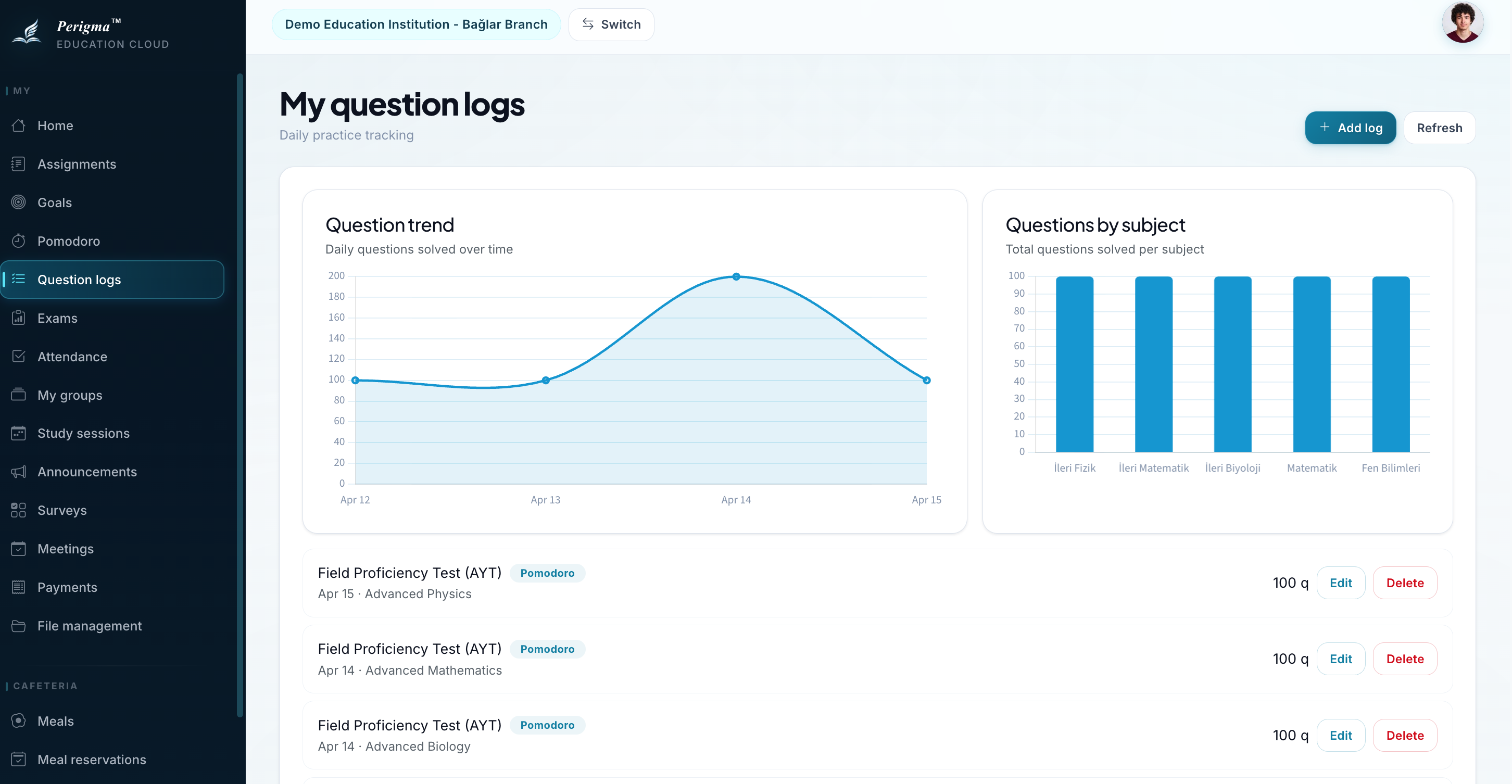
Image 2: Question log entry screen in student panel
tip
Question logs integrate with Pomodoro. Solved question count entered during a Pomodoro session can be reflected in logs automatically.