Student Goals
The goals module helps students define and track academic targets over specific periods. Goals can be created by teachers on behalf of students, and students can also manage their own goals from personal dashboards.
Goal Types
| Type | Description | Unit |
|---|---|---|
| Question Solving | Target number of solved questions | Count |
| Study Time | Target time to study | Minutes |
| Exam Score | Target exam score | Score |
Goal Periods
| Period | Description |
|---|---|
| Daily | Goals for a single day |
| Weekly | Goals for one week |
| Monthly | Goals for one month |
| Term | Goals for academic term |
Creating a Goal
- Go to My → Goals (or the student detail goal area)
- Click "New Goal"
- Fill goal details:
| Field | Required | Description |
|---|---|---|
| Student | Yes | Goal owner |
| Course | Yes | Related course |
| Subject | No | Related subject |
| Goal Type | Yes | Question Solving, Study Time, or Exam Score |
| Period | Yes | Daily, Weekly, Monthly, or Term |
| Start/End Date | Yes | Goal duration |
| Target Value | Yes | Count, minutes, or score |
| Exam Name | No | For exam-score goals |
- Click "Save"
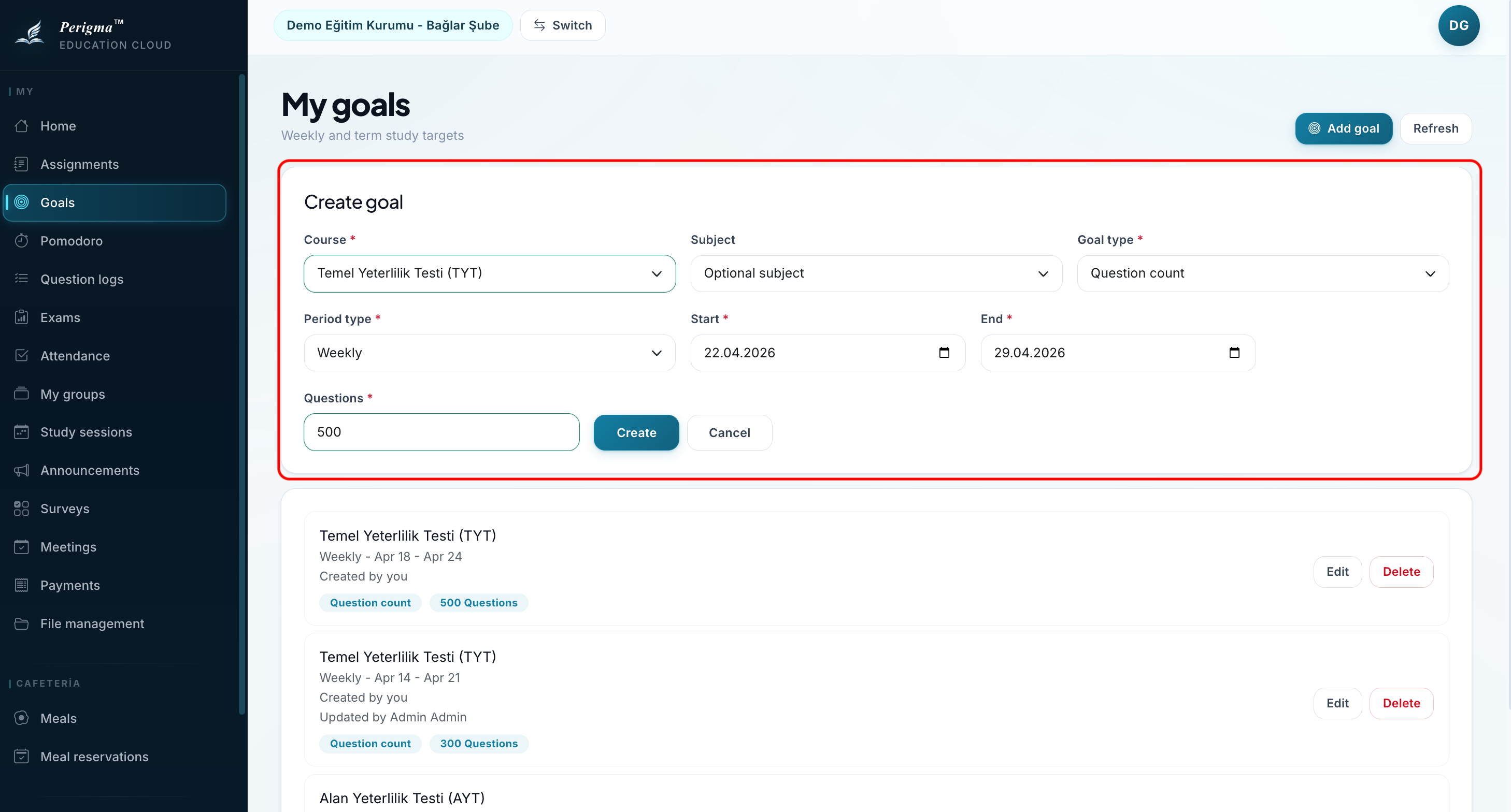
Image 1: New goal form
tip
Students can also create and manage goals from Student Dashboard → My Goals. See Student Guide - My Goals.