SMS Operations
The SMS Operations page is used to manage the institution's SMS infrastructure. Automatic SMS rules, the active delivery model, Netgsm integration, dispatch logs, and analytics are all managed here. It is available only to the Administrator role.
Use Communication → Instant SMS when you need to send a one-off direct SMS to selected recipients. The instant SMS flow is available to Administrator, Manager, and Teacher roles. See Instant SMS for details.
SMS Settings
Open Communication → SMS Operations from the left menu.
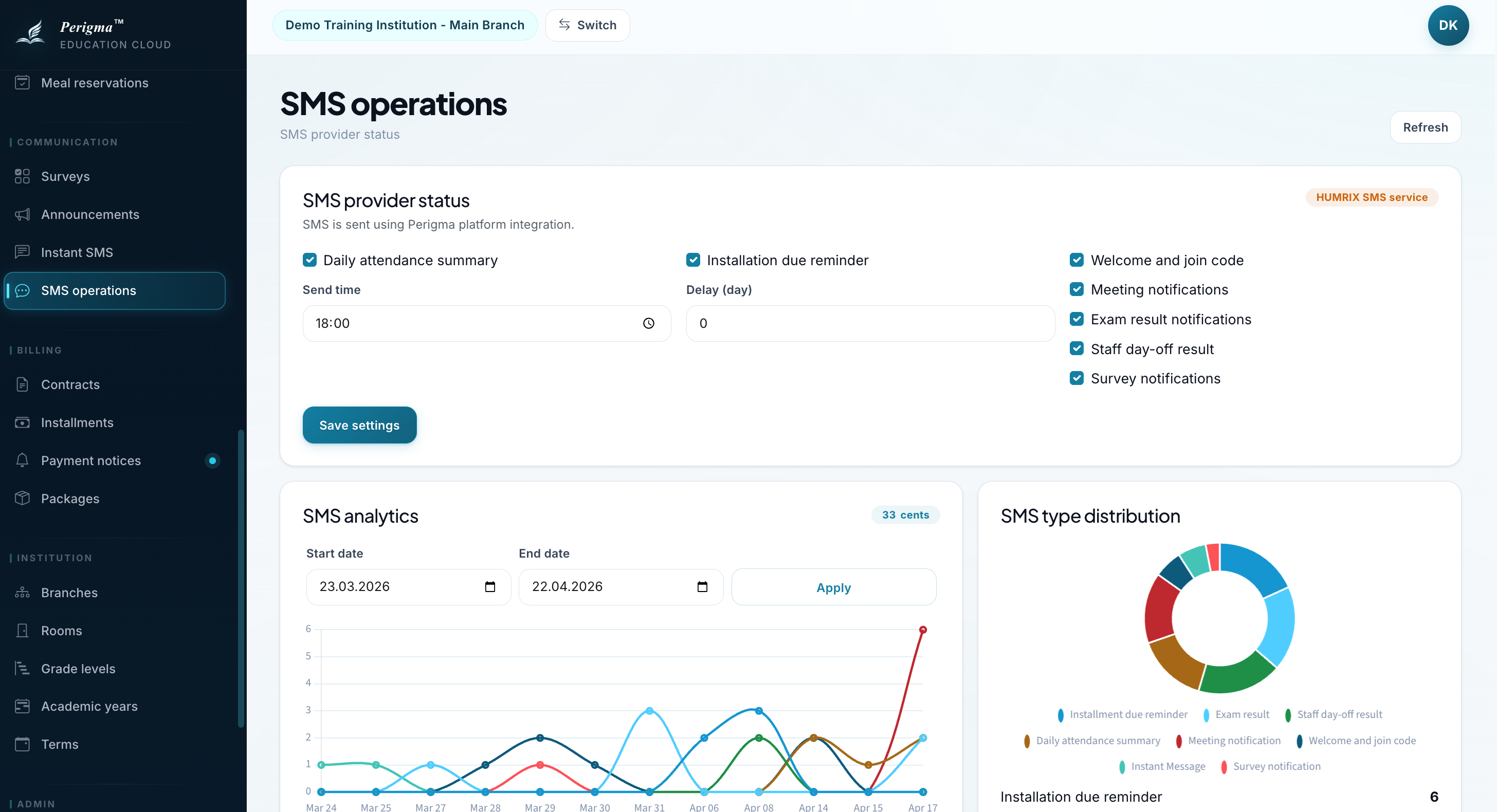
Image 1: SMS operations screen
Automatic SMS Notifications
You can enable or disable these institution-level automations:
| Setting | Description | Default |
|---|---|---|
| Daily Attendance Summary | Sends absence summary to guardians at the configured time | On |
| Installment Reminder | Sends reminder SMS before due date | On |
| Welcome / Join Code | Sends join code during new registration | On |
| Meeting Notification | Sends invitation SMS when a meeting is scheduled | On |
| Survey Notification | Sends SMS to the target audience when a survey is created | On |
| Exam Result | Sends SMS when results are published | On |
| Staff Leave Status | Sends SMS when leave is approved or rejected | On |
Attendance SMS Time
You can define when the daily attendance summary SMS is sent.
Installment Reminder Days
You can define how many days before due date the reminder SMS is sent.
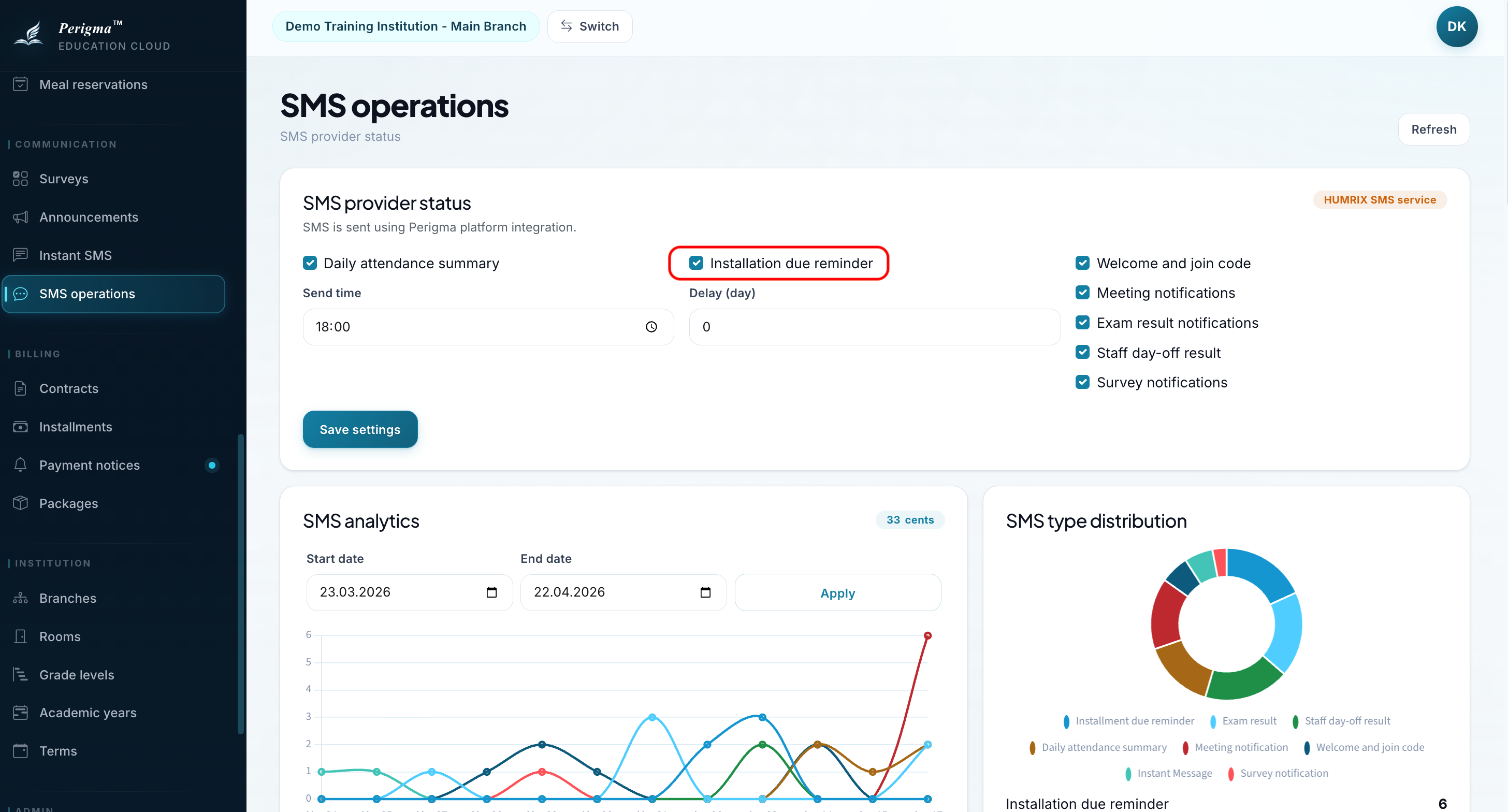
Image 2: SMS settings and automation options
SMS Routing
The active subscription period determines which service is used for SMS delivery.
- A future subscription period becomes active automatically on its start date in the institution's local timezone, and SMS routing switches to that period without manual intervention.
- If the subscription uses institution Netgsm integration, SMS is sent through the institution account.
- If the subscription uses HUMRIX SMS service, SMS is sent through the HUMRIX delivery infrastructure.
- SMS usage is unlimited inside the application; there is no in-app SMS purchase or balance management flow.
- SMS routing is defined when the subscription is created. It cannot be changed for the active subscription period.
Relationship With Instant SMS
The Instant SMS page uses the active routing defined here.
- If the active subscription uses institution Netgsm integration, instant SMS is also sent through the institution account.
- If the active subscription uses HUMRIX SMS service, instant SMS is also delivered through HUMRIX infrastructure.
- Instant SMS deliveries are included in the same log and analytics views.
Netgsm Integration
If the active subscription uses institution Netgsm, enter the institution credentials in this section:
| Field | Description |
|---|---|
| Username | Netgsm username |
| Password | Netgsm password |
| Sender Title | SMS sender header |
| IYS Filter | Message management system filter code |
| Partner Code | Optional partner code |
If the active subscription uses HUMRIX SMS service, institution Netgsm credentials are not required.
SMS Dispatch Logs
All SMS deliveries are recorded:
| Field | Description |
|---|---|
| Type | SMS notification category |
| Provider | HUMRIX SMS service or Institution Netgsm |
| Recipient Phone | Destination phone number |
| Dispatch Time | Delivery timestamp |
| Success | Whether delivery succeeded |
| Error Code | Error code when delivery failed |
| Error Message | Error detail when delivery failed |
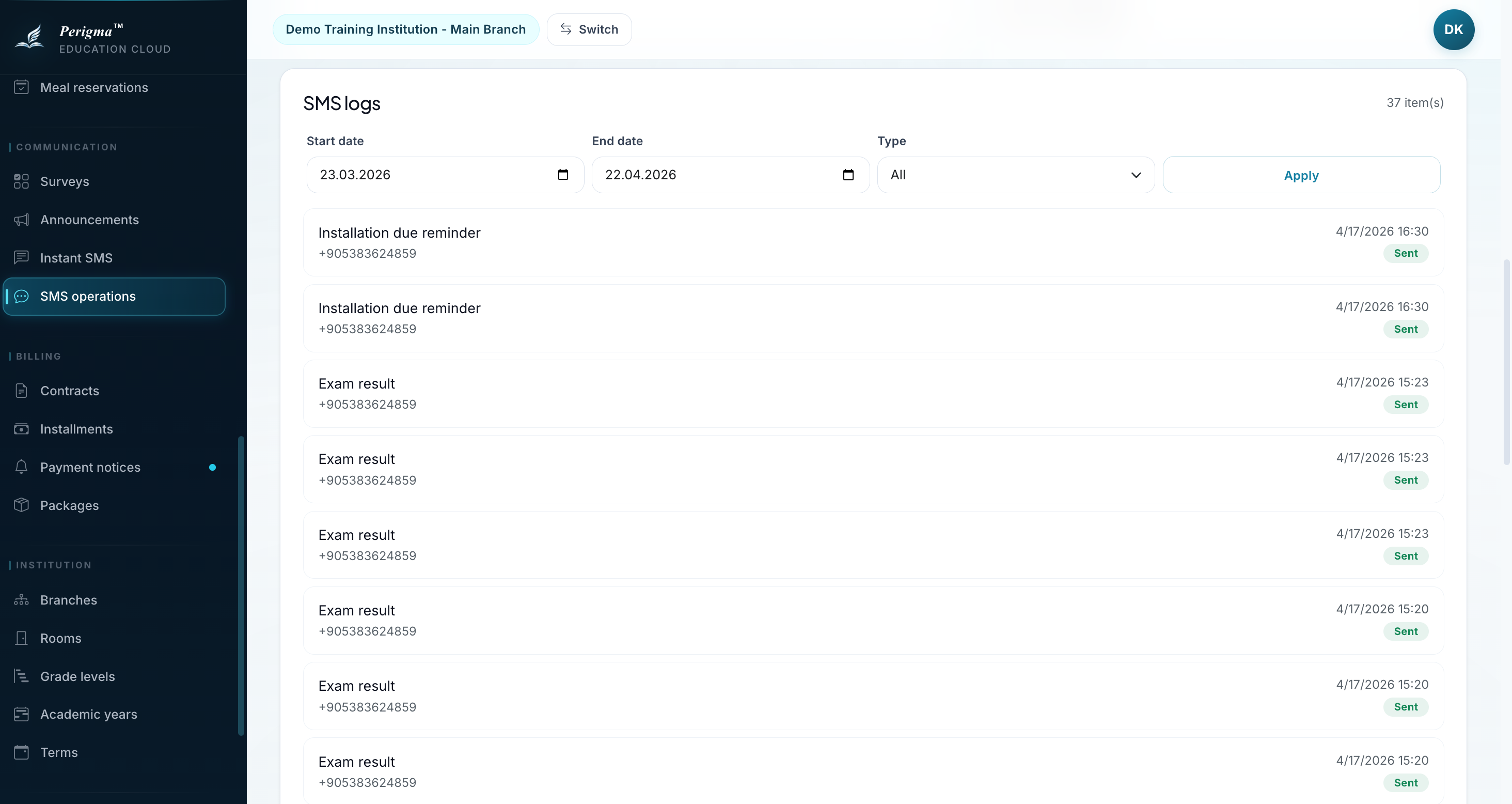
Image 4: SMS dispatch log list
SMS Analytics
The module also lets you review:
- total SMS volume
- success / failure ratio
- distribution by notification type
- period-based usage view
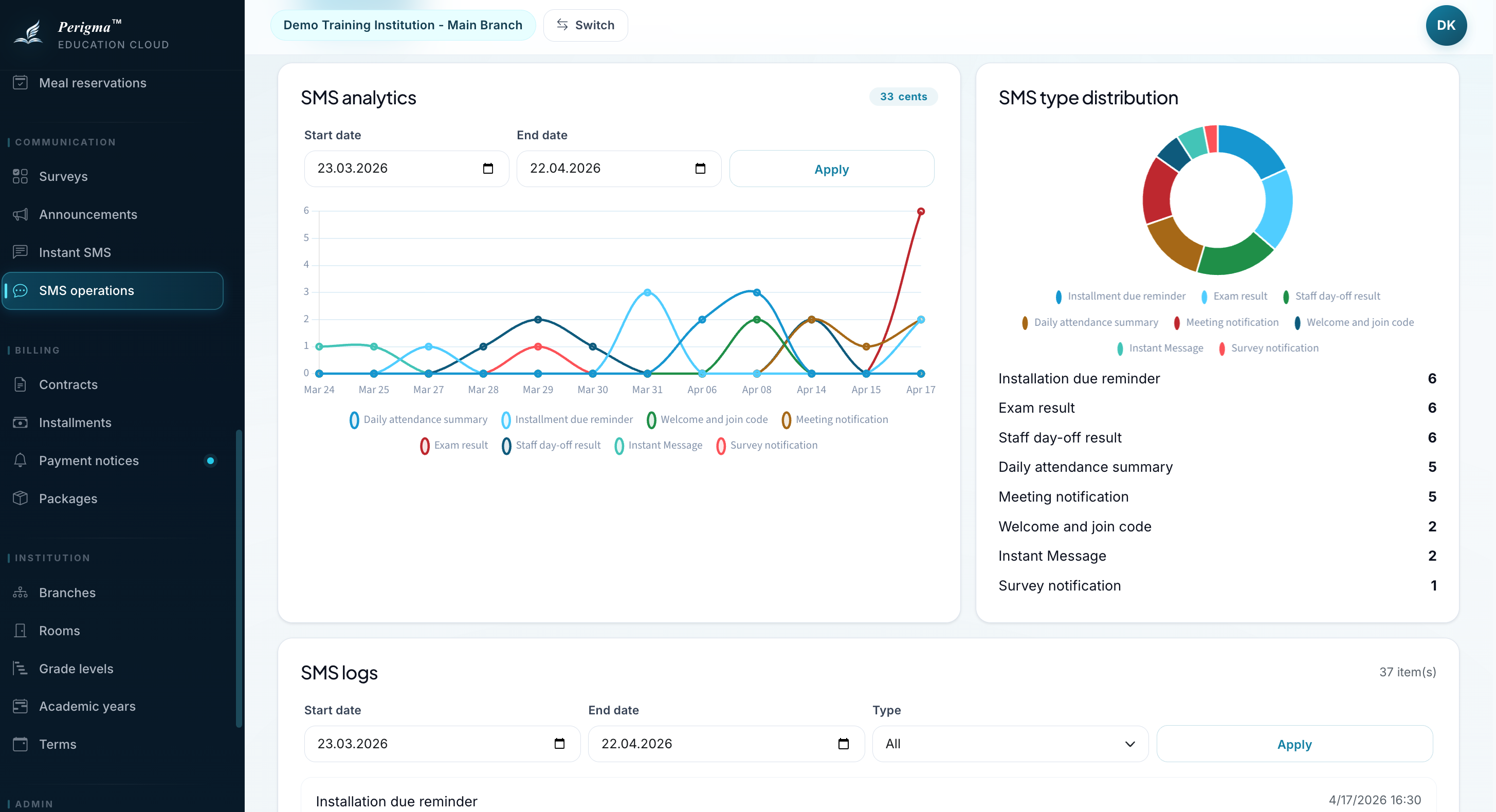
Image 5: SMS usage summary and analytics