My Goals
The My Goals section helps you stay motivated by setting study goals and tracking your progress.
Accessing Goals Page
Click My Goals in the left menu.
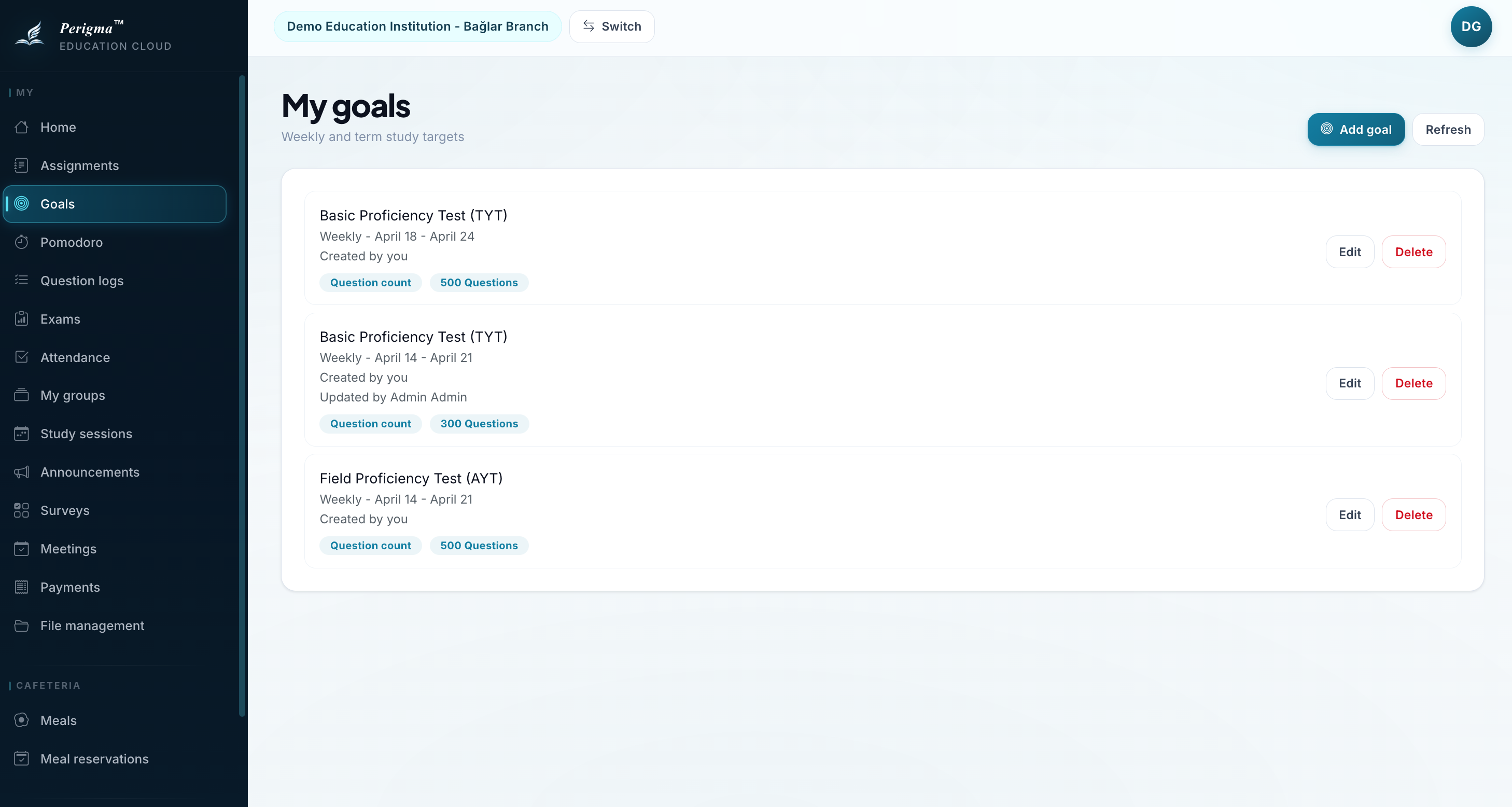
Image 1: My Goals main page
Goal Types
You can create two types of goals:
| Type | Description |
|---|---|
| Question Goal | Target number of solved questions |
| Time Goal | Target study duration |
Goal Periods
| Period | Description |
|---|---|
| Daily | Goal for each day |
| Weekly | Weekly total target |
| Monthly | Monthly total target |
Creating a New Goal
- Click "New Goal"
- Select goal type (Questions or Time)
- Select period
- Enter target value (for example, 100 questions, 4 hours)
- Select course (optional - leave empty for all courses)
- Click "Save"
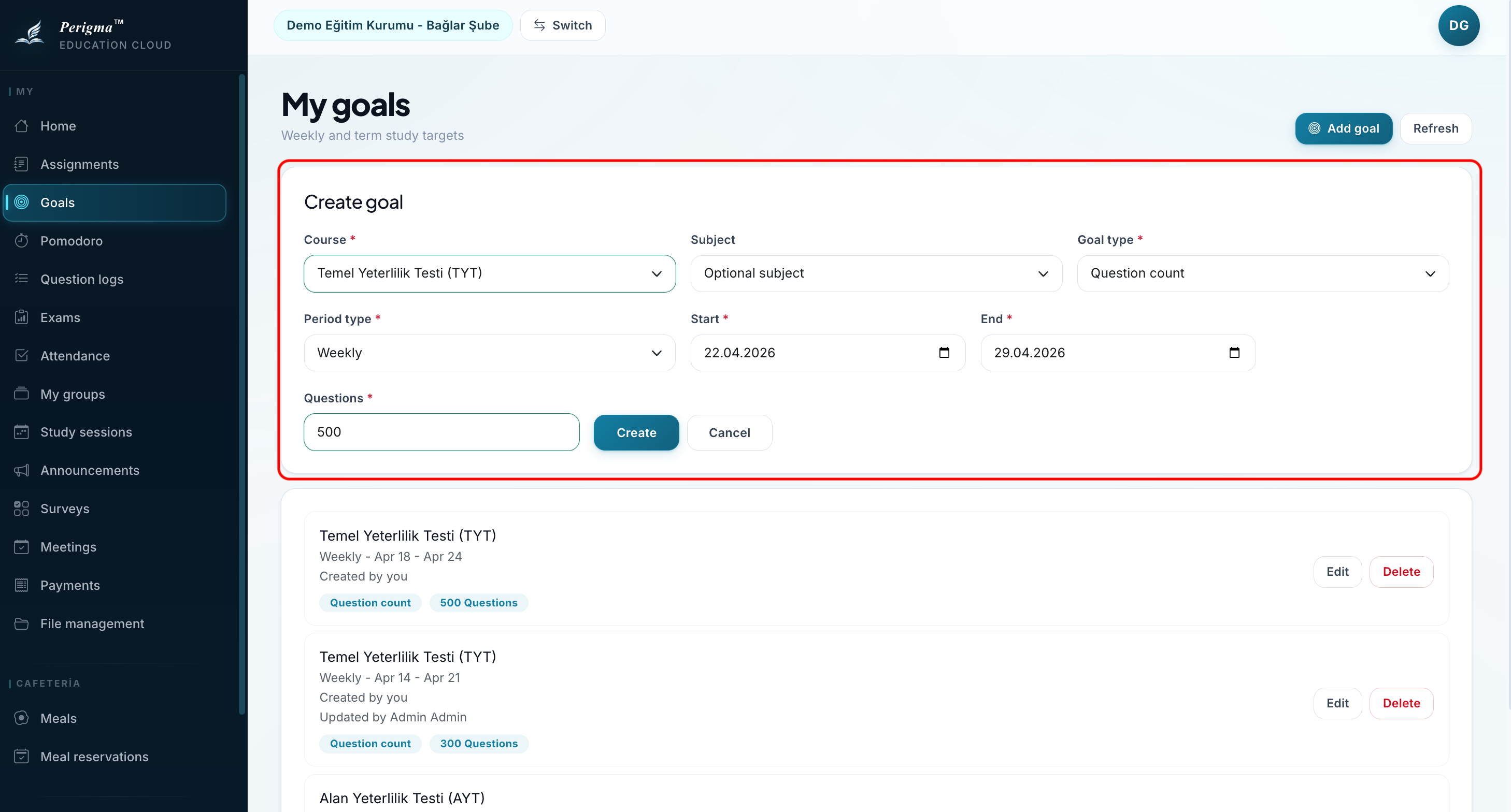
Image 2: Goal creation form
Editing and Deleting Goals
To edit or delete an existing goal:
- Click the goal card
- Select "Edit" or "Delete"
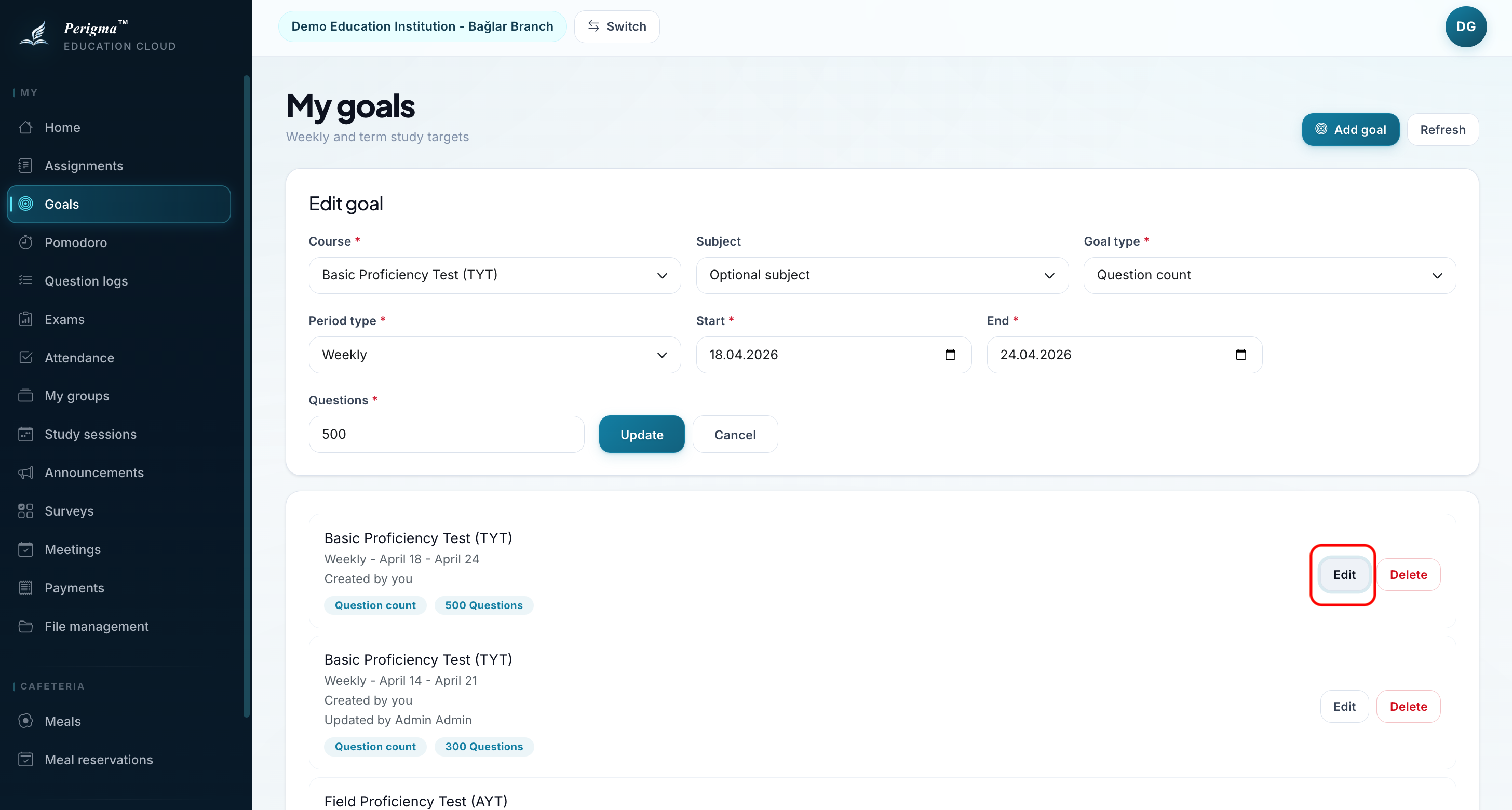
Image 4: Goal editing