My Exams
In this section, you can view your exam results, net scores, and performance analysis.
Accessing Exam List
Click My Exams in the left menu.
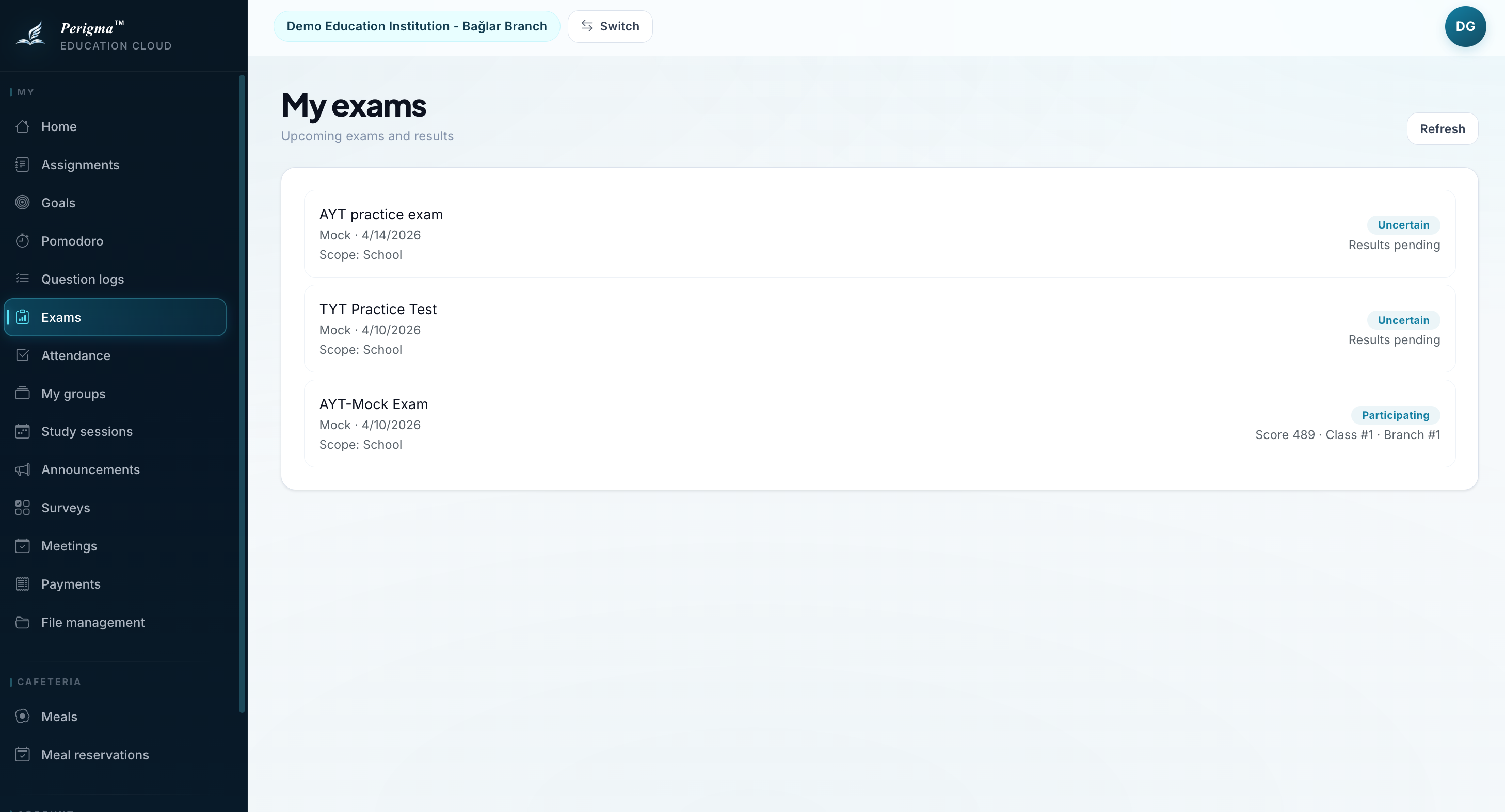
Image 1: Student exam list
Exam Card Details
Each exam card includes:
| Field | Description |
|---|---|
| Exam Name | Exam title |
| Course | Related course |
| Date | Exam date |
| Score | Your score (if published) |
| Status | Not published / Published |
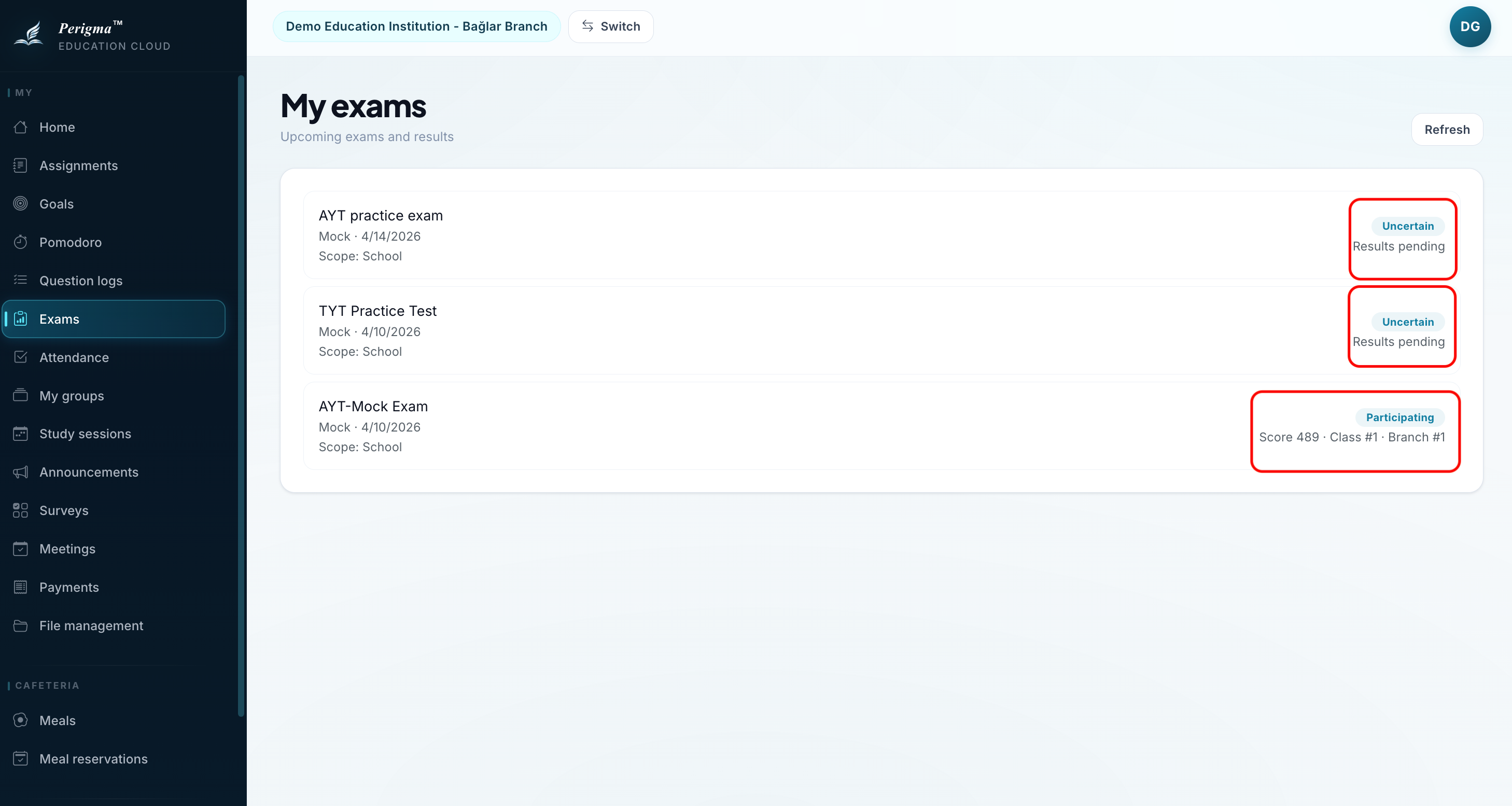
Image 2: Exam card sample
Result Statuses
| Status | Description |
|---|---|
| Not Published | Results are not entered yet |
| Published | You can view your score |
| Canceled | Exam was canceled |
Exam Detail
When you open a published exam:
Score Information
- Your Score: Total score
- Maximum Score: Full score
- Percentage: Success percentage
Net Values (Multiple Choice)
- Total Questions
- Correct
- Incorrect
- Blank
- Net (Correct - Incorrect/4)
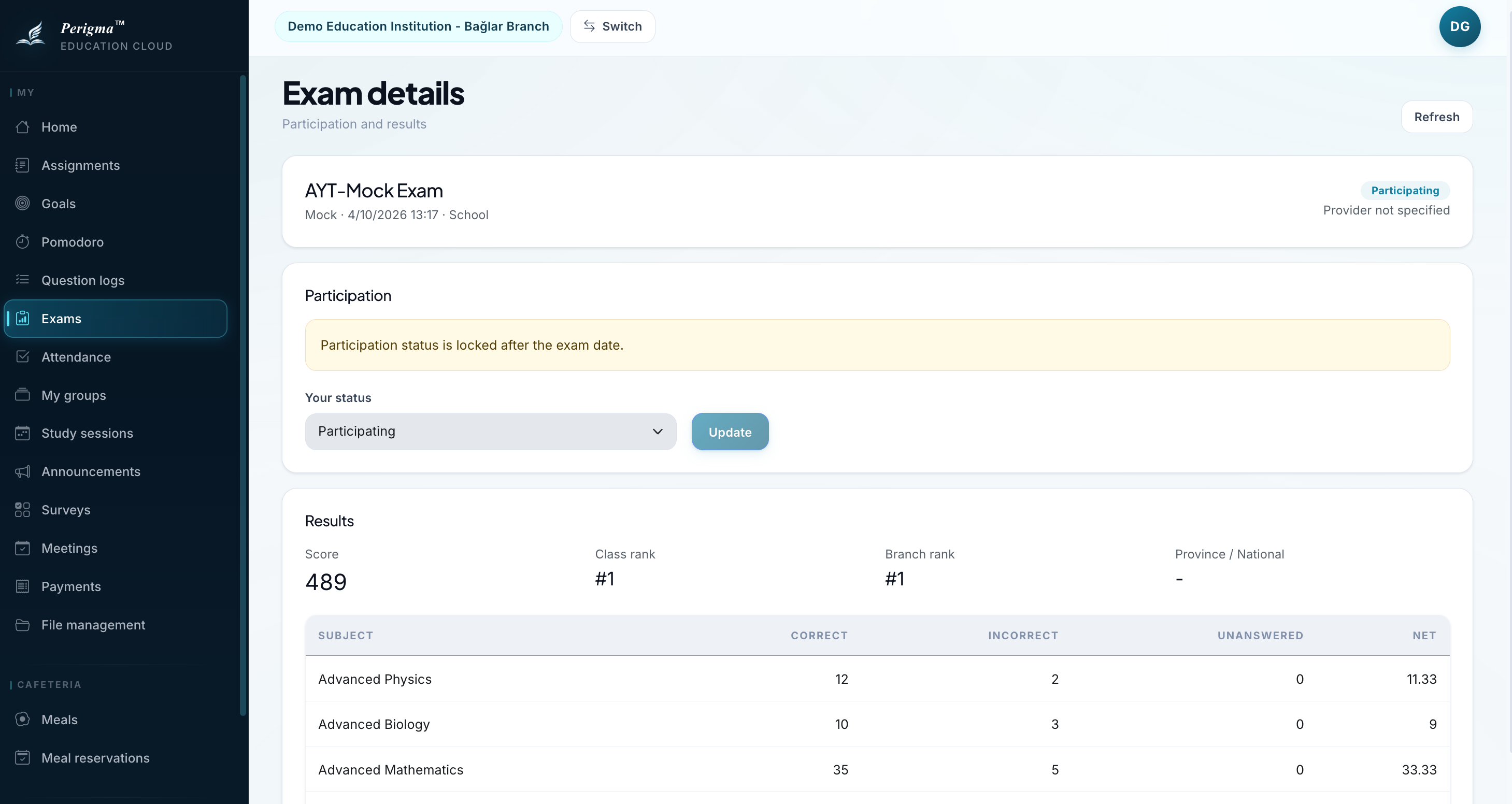
Image 3: Exam result detail
Performance Comparison
In exam detail, compare your score with:
- Class/Group Average
- Highest Score in Group
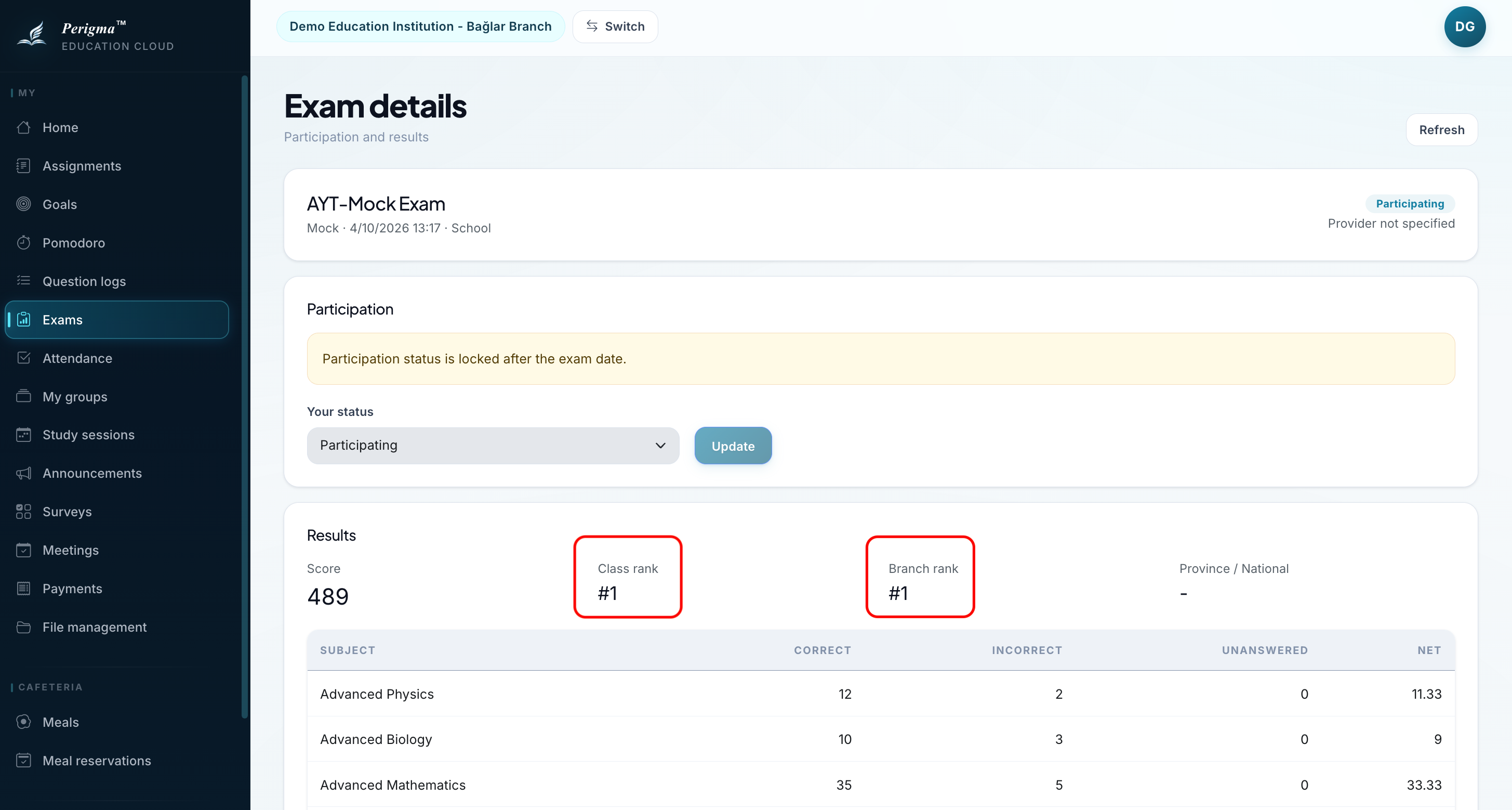
Image 4: Performance comparison chart
Exam History
To view all exam history:
- Click "All Exams" tab
- Filter by course if needed
- Select date range
Image 5: Exam history filtering